Polished screen recordings.
Without the editing grind.
Record your screen normally. CursorClip adds smooth zooms and pans as you go, so demos, tutorials and walkthroughs start polished, not raw.
Free to record and edit · A license to export · 14-day money-back guarantee · macOS 13.5+


Used by 226+ creators, founders, and product builders
Record. CursorClip polishes. Export.
Record
Capture your screen, camera, system audio and microphone. Use your Mac the way you normally would.
Polish
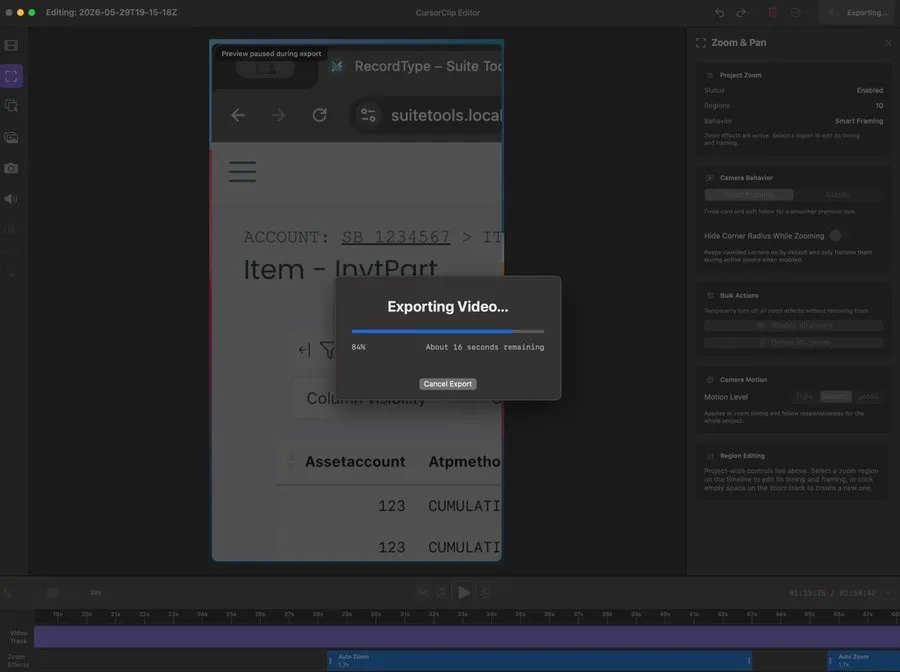
CursorClip adds the zooms, pans, background and framing while you record. Adjust anything afterwards if you want to.
Export
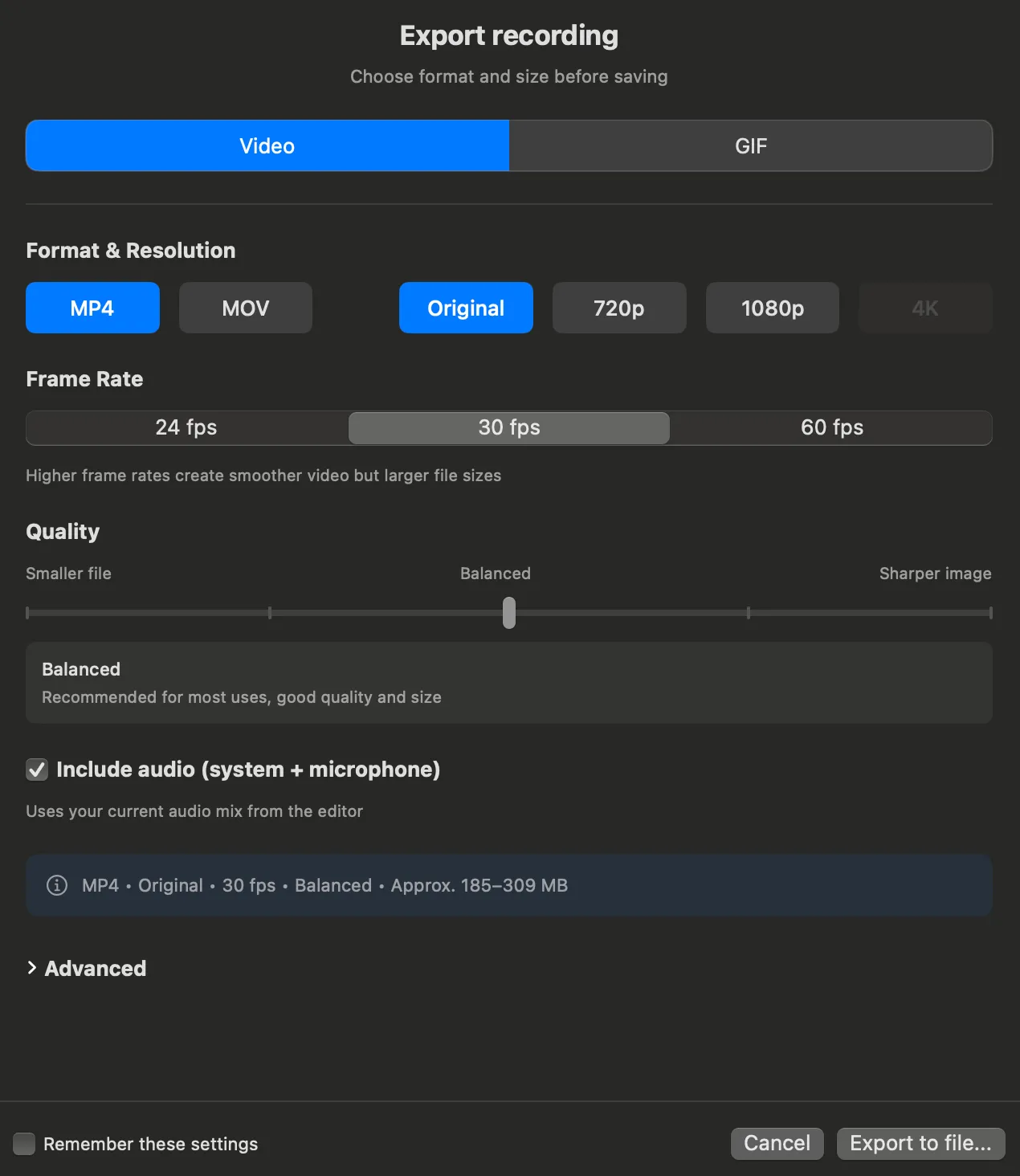
MP4, MOV or GIF, up to 4K at 60 fps. A license unlocks unlimited, watermark-free exports.
Everything between record and publish.
Three jobs a recording has to get through before it is worth sharing. CursorClip handles each one.
Make every recording easier to follow
CursorClip keeps the part of the screen you are working in front and center, so viewers never hunt for the cursor or squint at a menu. See how automatic focus works
Automatic zoom · Cursor tracking · Custom zoom frames · Cursor styles and click feedback
Fix things without becoming a video editor
Move or remove a zoom, trim a section, crop the frame, cut between screen and camera layouts, or change the background. No keyframes, and nothing you have to learn first.
Zoom edits · Trim · Crop · Layouts and Smart Camera · Backgrounds · Saved Looks
Get it published
Export MP4, MOV or GIF up to 4K at 60 fps. Add a portrait or square version of the same recording for Shorts and Reels, with the cuts already in place.
MP4 · MOV · GIF · 4K 60 fps · Landscape, portrait and square
CursorClip 2.0 · one year in
Less editing. More directing.
2.0 shipped one year after 1.0, and everyone who bought 1.x got it free.
Layouts and Smart Camera
Cut between screen, camera and both. Turn on Smart Camera and the camera bubble steps back from your cursor.
Notes teleprompter
Read your script from floating Notes while you record. It stays on your Mac, never in the export.
Saved Looks
Save your canvas, cursor, motion and camera style once, then make it the default for new recordings.
Crop after recording
Trim the recorded screen to the part that matters. Background, padding, corners and shadow stay applied.
Free to record and edit · A license to export · 14-day money-back guarantee

Loved by people who ship
Founders, educators, and indie devs who switched, bought, and stayed.

The one time payment model is refreshing since I am sick of monthly subscriptions for simple tools. It makes the purchase feel like I actually own the software.

CursorClip feels like a killer alternative to Screen Studio.

Recently got @cursorclip. Really happy with the such a great product at this price point. 🚀

Always appreciate a one-time purchase for software instead of another monthly bill

Thank you for all your work on this. I can now make my training videos!

bro I love the design!!

With CursorClip, it’s basically: Press Record → Start Creating. That is a huge advantage.

When builders are finally done creating their product, the last thing they want to do is mess around with hours of video editing for their demos. Edit free and professional is great!

Congrats! I was looking for a solution to record my demos, just bought it!

Very useful for devs! Simple and Easy to use.

It’s really useful, saving me a lot of time.

Support helped me resolve the microphone permission issue.

Clean solve for a real pain. Cursor zoom + click highlights should be built into every screen recorder. Good work.
I’ve used OBS before. It’s powerful, but complicated and takes a long time to set up. CursorClip makes the process simple.

Native + lightweight is underrated. So many Mac apps feel like Electron skins now. Congrats on making this🙌🏼

Clean, minimal screen recorders are underrated, good UX wins every time.

It looks great I'll definitely use it for my next app demo

Glad to see a LTD screen studio alternative 👍. Much needed now that screen studio has moved to a subscription product

great alternative for folks tried of constant subscription ....love the focus on simplicity and lifetime value .....really useful tool

CursorClip is exactly the kind of tool I was looking for to make my tutorials stand out. I’m really impressed with how lightweight and smooth the native Mac performance is.

"Hey @_heysurya ! @Shadabshs @cursorclip I'm a student creator looking to switch to CursorClip for my tutorials. I just sent an email to support regarding a student discount/early-bird pricing. Would love to get started with the Mac app if you have a moment to check! Thanks!"

Cool stuff , CursorClip looks super useful for clean demos

Got the @cursorclip deal last week. Using it since then and loving it so far. It's so good and smooth, the best part is it's light weight.

nice, congrats on shipping cursorclip — cursor zoom + one-time pay is a pretty clean combo

Congrats on the launch! A one-time payment for a powerful tool like this is a game-changer. Wishing you tons of success!

@Suryapratap @Shadab Tried the app, loved the easiness and experience on the run, will use this extensively for sure, and share more feedback 😛

Such a minimal UX feels really fresh
Ready to create professional screen recordings like our users?
Get Lifetime - $70Pay once, own it forever.
Built for people with something to show.
Polished by default
Zooms, pans, background and framing happen while you record, so editing afterwards is optional.
Native and fast
A native Mac app with no browser engine inside. It launches in seconds, edits offline and stays out of the way while you record.
Yours to own
Lifetime available, subscription optional. Pay once and every 2.0 feature is yours to keep.
Try it free. Own it when you're ready.
Record and edit for as long as you like. Exporting needs a license, and $70 once makes it yours.
Pay once and export without limits. 14-day money-back guarantee.
Everyone who bought 1.x got 2.0 free. That is the deal.
Lifetime available, subscription optional. Plans from $9/month, and every plan has a 14-day money-back guarantee. See all plans.
Made for your Mac, not wrapped in a browser.
Fast launch. Low resource usage. Offline editing. Your recordings stay on your Mac unless you choose to share them.
- 27.4 MB downloadabout 46 MB installed
- Idles at ~100 MB RAMone process, measured
- Apple Silicon and IntelmacOS 13.5 or later
Why people switched to CursorClip

Glad to see a LTD screen studio alternative 👍. Much needed now that screen studio has moved to a subscription product

CursorClip feels like a killer alternative to Screen Studio.

I’ve used OBS before. It’s powerful, but complicated and takes a long time to set up. CursorClip makes the process simple.
For the Detail-Oriented.
- Recording: 4K resolution at 60fps.
- Audio: System audio + Microphone audio (or both).
- Export: High-quality MP4 & GIF.
- System: macOS 13.5 (Ventura) or later. Optimized for Apple Silicon & Intel.
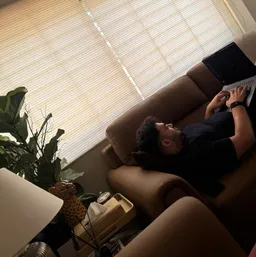
"I shipped CursorClip 1.0 on September 8, 2025. One year and 226 customers later, 2.0 landed with layouts, the teleprompter, Looks and crop."
Surya, Founder (@cursorclip)
Your Questions, Answered.
How much does CursorClip cost?
CursorClip is available for a one-time lifetime license at $70. Pay once to unlock all current features and ongoing improvements with a 14-day money-back guarantee. Click here to get CursorClip.
Is there a free trial?
CursorClip is free to download, record, and edit, with no account needed and no time limit. Exporting your finished video requires a license. Every paid plan carries a 14-day money-back guarantee, so you can buy, export a real video, and get a full refund if it is not right for you. See pricing.
Is there a Windows version?
CursorClip is built native for macOS and there is no Windows version planned. On Windows, OBS is a solid free pick for screen recording.
Is it CursorClip or Cursor Clip?
Both spellings refer to the exact same macOS screen recorder. CursorClip is the official brand name; we occasionally write it as "Cursor Clip" in guides, but it's always the same app.
Is this really a one-time purchase?
Yes! Pay once and get all current features and future improvements to them, yours for life. If we ever add major new services (like cloud hosting), those would be optional add-ons, but the core recorder you buy today is yours forever.
What is your refund policy?
We offer a 14-day, no-questions-asked money-back guarantee. If you're not happy for any reason, email support@cursorclip.com and we’ll process it promptly. If you prefer X, message us at @cursorclip.
Have something to show?
Record it normally. CursorClip makes it look polished. Own it for $70, or start with a plan.
Free to record and edit · A license to export · 14-day money-back guarantee