The best Screen Studio alternative for most Mac users is CursorClip. It zooms in on your clicks automatically, runs as a native Mac app, and costs $70 once instead of Screen Studio’s $108 a year. Try it free: free to record and edit, a license to export. Need Windows, Linux or a free open-source app? Look at OpenScreen, Recordly or Cap.
On Windows or Linux? CursorClip is Mac only. Jump to the Windows picks.
What you pay
| Cost | Screen Studio | CursorClip |
|---|---|---|
| Price | $29 a month, or $108 a year billed yearly | $70 once or $29 a year, $9 a month One license covers up to 3 Macs |
| Two years | $216 on the yearly plan, $696 on the monthly plan | $70, and the lifetime license keeps working after that ($58 on the yearly plan) |
| Refunds | Fees are non-refundable, per its terms | 14-day money-back guarantee |
Screen Studio prices from its website, checked 6 October 2026.
Free to record and edit. A license to export.
Key takeaways
| Tool | Best for | Price (checked 2 Oct 2026) | Runs on |
|---|---|---|---|
| CursorClip | Polished Mac demos, one-time price | $70 once (or $29/yr, $9/mo) | Mac |
| OpenScreen | Free, open-source automatic zoom | Free, MIT license, commercial use allowed | Mac, Windows, Linux |
| Recordly | Free automatic zoom, plus community extensions | Free, AGPL-3.0, commercial use allowed | Mac, Windows, Linux |
| Cap | An editor plus instant share links | Free for personal use; $58 once or $29/yr for work | Mac, Windows (beta), Linux |
| OBS Studio | Full manual control and streaming | Free, open source | Mac, Windows, Linux |
| Descript | Editing by transcript | Free tier; paid from $16/mo billed yearly | Mac, Windows |
| Camtasia | Structured tutorials and training | $39 to $599 a year in the US, billed yearly (details) | Mac, Windows |
| Loom | Async team updates | Free tier; Business $18 per user a month | Mac, Windows, iOS, Android, Chrome |
| Screen Studio (for reference) | Polished Mac demos | $29/mo, or $9/mo billed yearly ($108/yr) | Mac only |
Every price above comes from the vendor’s own site, checked on 2 October 2026. The source for each one is linked in its section below.
Quick answers, best Screen Studio alternatives (October 2, 2026):
- Best Screen Studio alternative for Mac? CursorClip: automatic zoom on your clicks, a native app, and a one-time $70 license.
- Best free Screen Studio alternative? OpenScreen if you want automatic zoom at no cost. OBS Studio if you want full manual control.
- Best Screen Studio alternative for Windows? OpenScreen or Recordly for free automatic zoom, Cap if you also want share links, OBS Studio for free manual recording.
- Best open-source Screen Studio alternative? OpenScreen (MIT) or Recordly (AGPL-3.0). Cap is open source too, but commercial use needs a paid license.
- Best for transcript editing? Descript.
- If price is your main issue? Start with CursorClip pricing or read the CursorClip vs Screen Studio pricing guide.
Best Screen Studio Alternatives in 2026
Updated: October 6, 2026
If you are looking for a Screen Studio alternative, most searches fall into a few buckets: you want a cheaper option, a free or open-source Screen Studio alternative, a Screen Studio alternative for Mac that feels lighter, or a Screen Studio alternative for Windows because your team is not Mac-only. This guide is built around those real use cases instead of a generic feature dump.
Screen Studio is still a strong Mac app for polished auto-zoom demos, but it is not the only good option. Some alternatives win on pricing, some on being free and open source, some on transcript editing, and some on platform support.
If pricing is your main blocker, start with our Screen Studio pricing comparison. If you are not specifically comparing against Screen Studio and just want the best Mac screen recorder overall, use our full 13-tool Mac screen recorder roundup instead. It covers tools this guide skips and gives a broader Mac-specific breakdown.
For SaaS teams comparing polished demo workflows specifically, see the focused guide to the best screen recorder for SaaS demos on Mac.
Best Screen Studio alternatives at a glance
| Need | Best pick | Why |
|---|---|---|
| Best overall Screen Studio alternative for Mac | CursorClip | Native Mac app, automatic zoom on your clicks, 4K exports, and a one-time option |
| Best free and open-source alternative | OpenScreen | Free for commercial use, automatic zoom, Mac, Windows and Linux |
| Best open-source alternative with extensions | Recordly | Zoom suggestions, a webcam bubble that reacts to zoom, and community extensions |
| Best for share links plus an editor | Cap | Studio Mode for polished exports, Instant Mode for a link the moment you stop |
| Best for full manual control on any platform | OBS Studio | Free, open source, and no recording limits |
| Best for AI transcript editing | Descript | A full editor built around the transcript |
| Best for tutorials and training | Camtasia | Callouts, annotations, quizzes, and a structured teaching workflow |
| Best for async team updates | Loom | Fast recording, instant sharing, and team workspaces |
Why people search for Screen Studio alternatives
The most common reasons are straightforward:
- You want a Screen Studio alternative for Mac that costs less over time.
- You need a Screen Studio alternative for Windows because your team is not Mac-only.
- You want a free or open-source Screen Studio alternative.
- You need more transcript editing, collaboration, or training features than Screen Studio is designed for.
That is why the best choice depends less on “what has the most features” and more on what kind of workflow you actually run every week.
The real problems with Screen Studio
The real problems with Screen Studio are pricing structure and platform lock-in, not recording quality. (Hunting for a coupon instead? See what Screen Studio discount codes actually exist.) These are the specific issues that push people toward alternatives:
- Subscription-only pricing since October 2025. Screen Studio’s pricing showed a one-time license on 1 September 2025 and only a subscription by 3 October 2025 (Wayback Machine snapshots), and its FAQ now says one-time licenses are “no longer available for new purchases”. Today the choice is $29 per month billed monthly, or $9 per month billed yearly, which is $108 a year (screen.studio, checked 6 October 2026).
- The cost adds up. On the yearly plan, three years of Screen Studio cost $324 and five years cost $540. On the monthly plan, one year costs $348.
- Past one-time buyers pay for updates. The old one-time license cost $229 with one year of updates, then an optional $109 renewal for each further year (archived pricing, 1 September 2025). Screen Studio’s FAQ says those licenses stay valid, and expired update access can be renewed.
- Mac-only. Screen Studio’s FAQ says there are no near-future plans to add Windows support, so mixed-platform teams cannot standardize on it.
None of these make Screen Studio a bad app. They define what an alternative needs to fix: ownership instead of rental, platform coverage, or a different editing workflow.
What to look for in a Screen Studio alternative
A good Screen Studio alternative is judged on six criteria:
- Pricing model. Decide whether you want a one-time purchase (CursorClip at $70, or Cap at $58 for commercial use), a subscription, or free open source (OpenScreen, Recordly, OBS Studio). This is the single biggest driver of Screen Studio switching.
- Platform support. Screen Studio is Mac-only. If anyone on your team uses Windows or Linux, that requirement alone narrows your list to cross-platform tools.
- Automatic zoom and polish. Screen Studio’s core value is recordings that look finished with little effort. CursorClip, Cap, OpenScreen and Recordly all generate zooms from your clicks or cursor movement, and Camtasia’s SmartFocus effect adds zooms and pans to recordings made with its own recorder. OBS Studio and Loom do not.
- Editing depth. Decide whether you need post-production at all. Transcript editing (Descript) and timeline editing with callouts (Camtasia) are separate jobs from recording.
- Sharing workflow. If your output is a link rather than an exported video file, a share-first tool like Loom or Cap’s Instant Mode beats an export-first tool.
- App size and build. CursorClip is a native Mac app with a 27 MB download. Screen Studio, OpenScreen and Recordly are all built on Electron, which ships its own copy of the Chromium browser engine inside the app. Their Apple silicon downloads are 729 MB, about 138 MB and about 188 MB. (Screen Studio’s current version, 4.0.3 from its download page, contains the Electron framework and an app.asar package, the files every Electron app ships with, as did 4.0.1 before it. OpenScreen 2.0.0 lists Electron in its package file. File sizes from each vendor’s download. All checked 6 October 2026.)
Detailed Screen Studio alternative breakdown
Each tool below is evaluated specifically against Screen Studio, what gap it fills, what it trades away, and which Screen Studio users it fits. For in-depth Mac-specific reviews covering more tools, see our 13 Mac screen recording apps roundup.
CursorClip: best overall Screen Studio alternative for Mac
Supported systems: macOS 13.5 or later, on Apple silicon and Intel
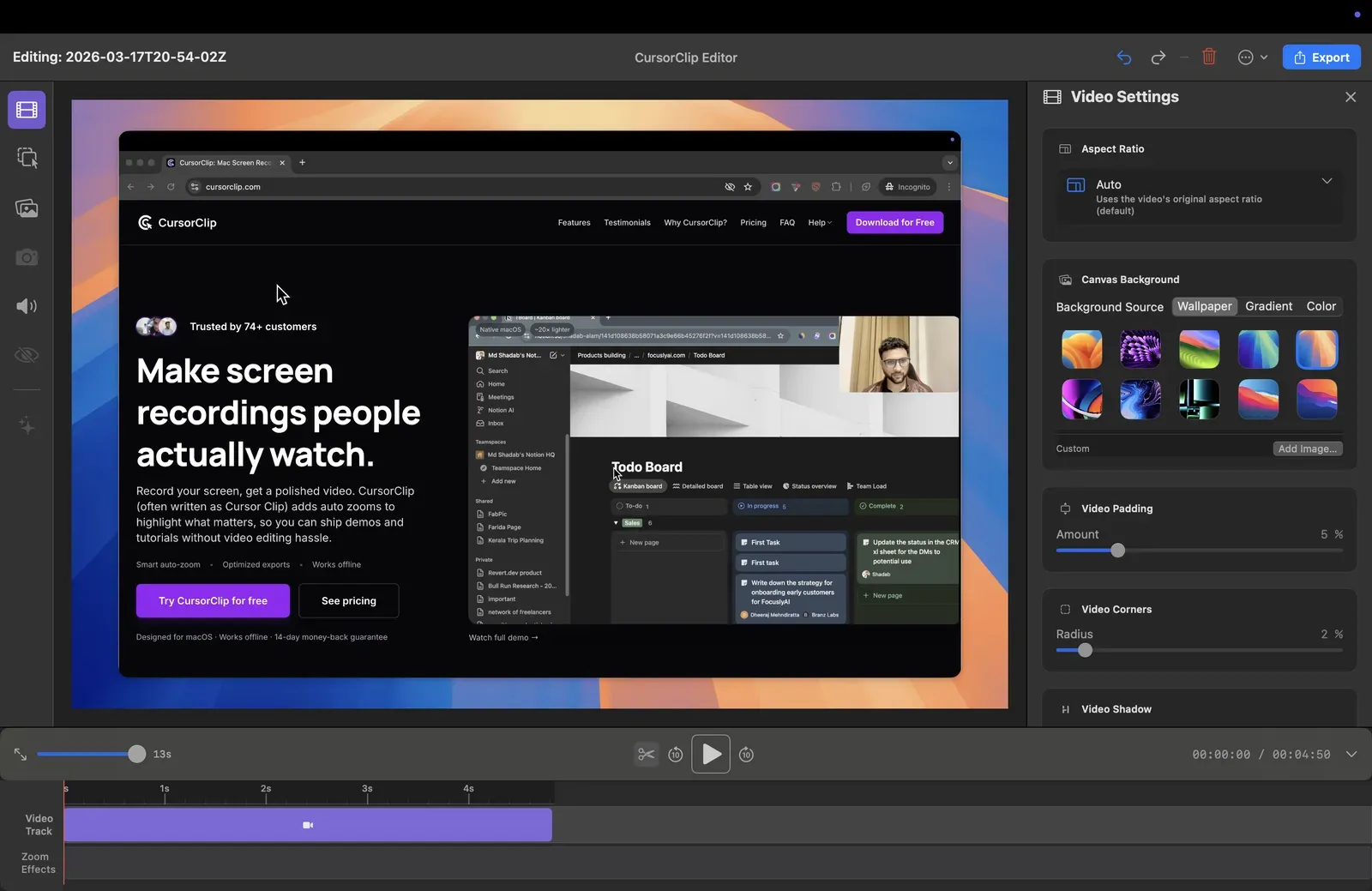
CursorClip is the best overall Screen Studio alternative for Mac. It covers the same core job, fast and polished demo recordings with automatic zoom: zooms are generated from your clicks, and you can add, remove and retime them in the editor. Where Screen Studio locks new customers into a subscription, CursorClip offers a $70 one-time license.
Why it wins over Screen Studio:
- One-time pricing option: pay once, own it
- A native Mac app with a 27 MB download. Screen Studio is built on Electron, and its Apple silicon installer is 729 MB (checked 6 October 2026)
- A 14-day money-back guarantee on every plan, where Screen Studio’s terms of service say its fees are non-refundable (checked 6 October 2026)
Pricing: $70 one-time lifetime license. Also available at $29/year or $9/month. Recording and editing are free, with no account; the license unlocks exports, one license covers up to 3 Macs, and every plan has a 14-day money-back guarantee.
The math vs Screen Studio: Screen Studio’s annual plan is $108 per year ($9/month billed yearly). For one year, CursorClip’s $29 annual plan costs $79 less. Over three years, the $70 lifetime license costs $254 less ($70 vs $324), and over five years $470 less ($70 vs $540). Against Screen Studio’s $29/month monthly plan, the lifetime license costs less than three months of it ($87).
Best for: Mac users who want Screen Studio’s polished demo output without the recurring cost or the heavyweight download.
Tradeoff: Mac only. No captions or transcript editing: Screen Studio, OpenScreen and Descript offer both, and Cap offers captions. No iPhone or iPad recording. And CursorClip cannot open a video it did not record, so it helps with your next recording, not one you already have.
Now in CursorClip 2.0
Layouts let you add screen, camera, picture-in-picture, side-by-side, or stacked sections, with Cut, Fade, and Morph transitions, and Smart Camera adjusts the camera overlay around recorded activity. A notes teleprompter lets you write and rehearse before recording, then read from floating Notes with saved drafts, paragraph navigation, and optional auto-scroll. Saved Looks store your canvas, cursor, motion, and camera appearance for reuse across projects, and crop after recording crops the recorded screen with freeform or fixed ratios while your background, padding, rounded corners, and shadow stay applied.
Free to record and edit. A license to export.
For the full pricing and feature head-to-head, see CursorClip vs Screen Studio.
Cap: best open-source alternative with share links
Supported systems: macOS 13.1 or later (Apple silicon and Intel), Windows 10 or later (listed as beta on Cap’s download page), Linux, plus a Chrome extension
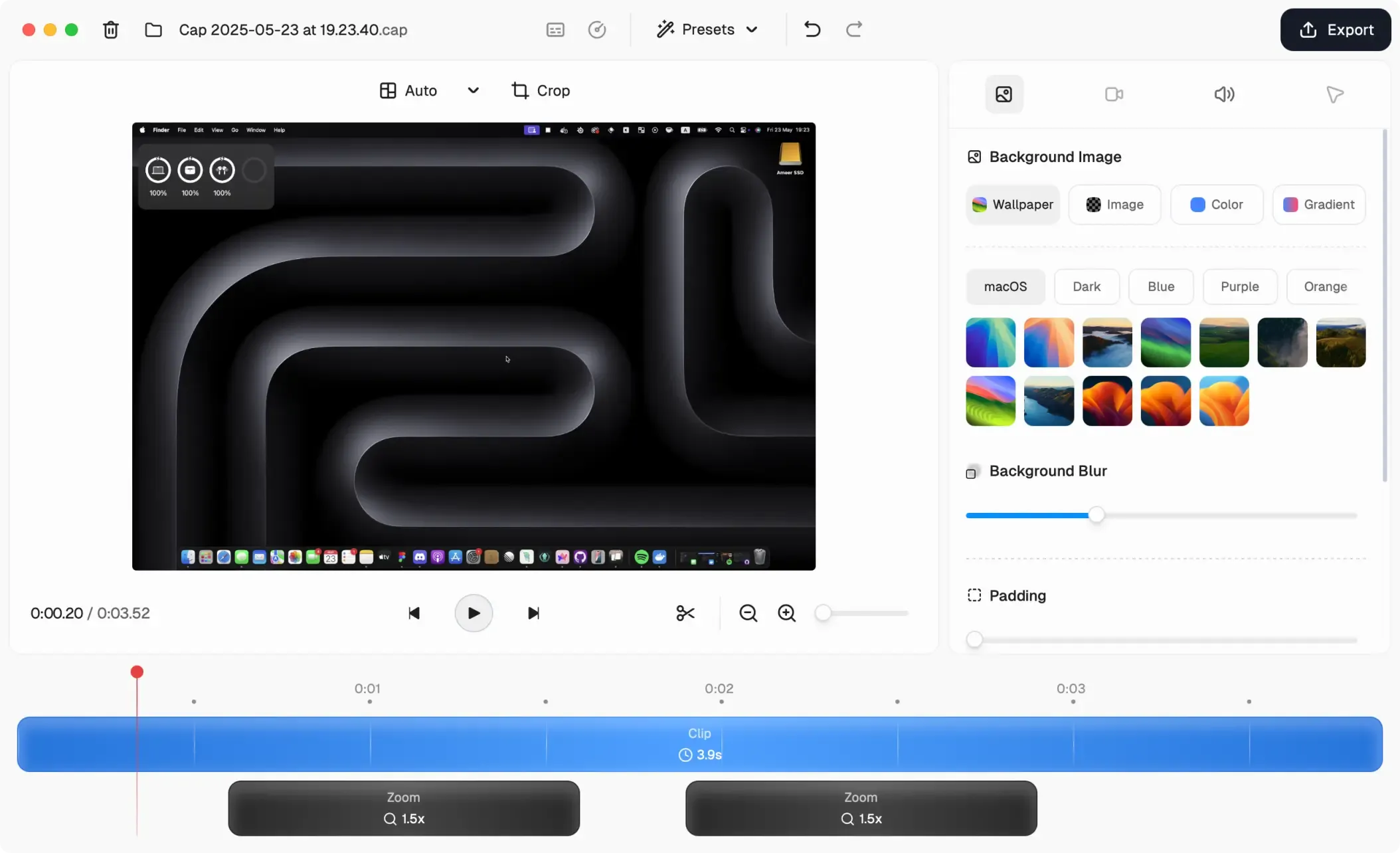
Cap puts a Screen Studio-style editor and Loom-style share links in one app. Its Studio Mode records locally in up to 4K at 60fps, keeps screen, camera and mic on separate tracks, and opens an editor with backgrounds, automatic zoom generated from your clicks, cursor effects, captions and blur. Its Instant Mode uploads while you record and puts a share link on your clipboard when you stop. (Features per cap.so, checked 2 October 2026.)
Why it wins over Screen Studio:
- Runs on Mac, Windows and Linux, not just Mac
- Open source (AGPLv3 for most of the code, per its GitHub license) and self-hostable, or point Cap Pro at your own S3 bucket or Google Drive
- A one-time commercial license at $58, where Screen Studio only sells subscriptions
- A free tier for personal use
Pricing: Free for personal use. Cap’s pricing page says the free version has no time limit on local recordings, though the same page’s plan table lists unlimited local recording and editing only on paid plans, so check before you rely on it. Commercial use needs the Desktop License at $29 per license per year, or $58 once for a license that never renews. Cap Pro is $12 per user per month, or $8.16 per month billed annually, and adds unlimited cloud sharing, AI titles and summaries, and team workspaces. On the free and Desktop plans, share links are limited to 5 minutes each. (cap.so/pricing, checked 2 October 2026.)
Best for: Teams that need one recorder across Mac, Windows and Linux, and anyone who wants share links and an auto-zoom editor in one app.
Tradeoff: Free use is personal only, so client work, courses and anything you sell needs a paid license. The Windows build is still labeled beta.
Cap or CursorClip? Choose Cap if you need Windows or Linux, share links, or captions. Choose CursorClip if you work on a Mac and want automatic zoom on your clicks in a 27 MB download, against about 190 MB for Cap’s Apple silicon installer (version 0.6.0 from cap.so/download, checked 2 October 2026).
OpenScreen: best free and open-source Screen Studio alternative
Supported systems: macOS 13 or later (recording the microphone needs macOS 15), Windows 10 or later, Linux
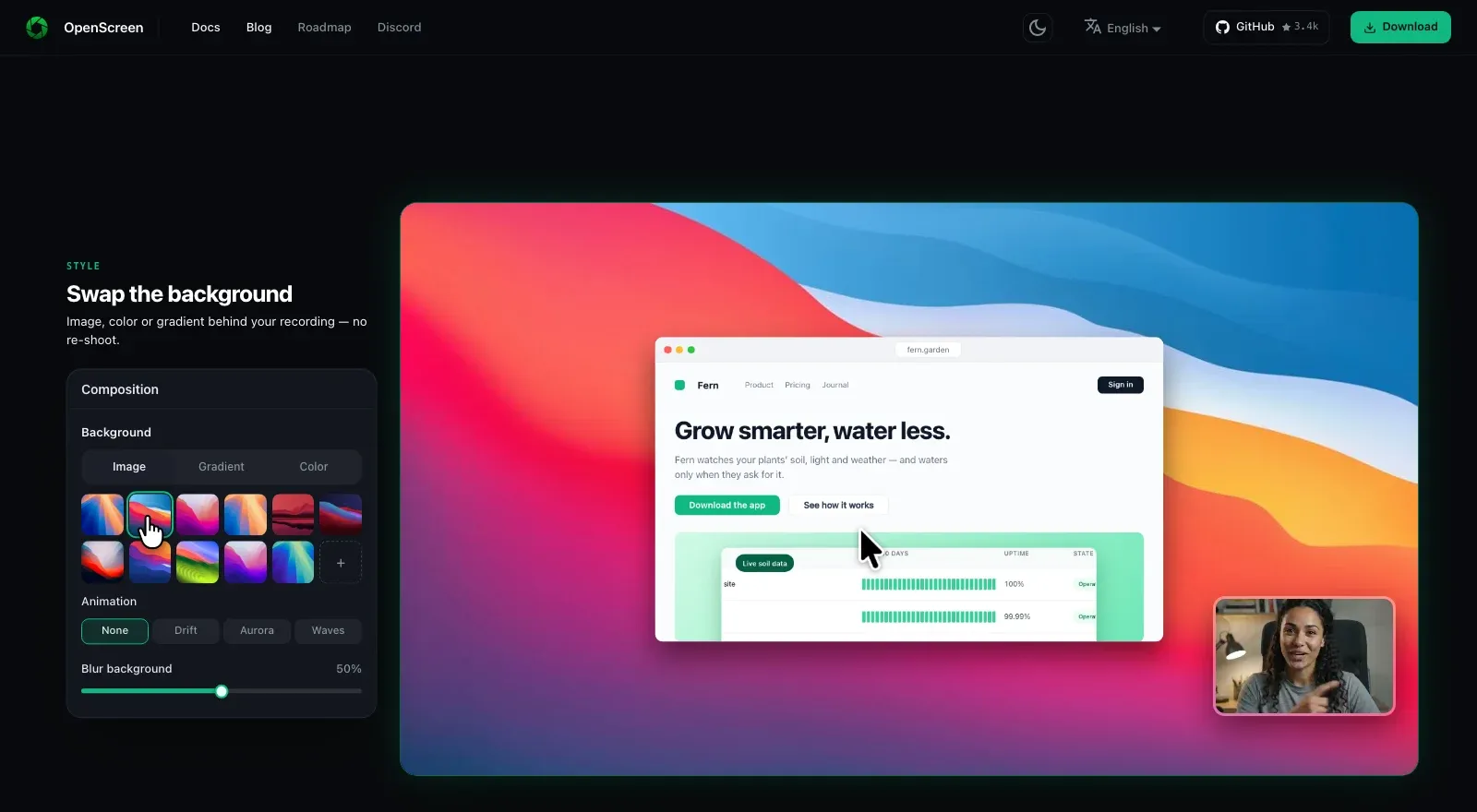
OpenScreen is the free, open-source answer to Screen Studio, and the closest match to its look at no cost. Its site says every new recording opens already zoomed on your clicks, on a wallpaper with padding, a shadow and rounded corners. It is MIT licensed, adds no watermark, needs no account, and is free for personal and commercial use. The project at getopenscreen.com is a community-maintained continuation of the original OpenScreen, which its creator archived after version 1.5.0. (Per getopenscreen.com, checked 2 October 2026.)
Why it wins over Screen Studio:
- Free, including for commercial work, with no paid tier
- Runs on Mac, Windows and Linux
- Open source under MIT, so you can read the code, change it, or script it with the bundled command-line tool
- Screen Studio-style extras at no cost: captions transcribed on your machine with whisper.cpp, editing by transcript, and webcam background blur or replacement
Pricing: Free. MIT license, with no premium tier and no usage caps, according to the project.
Best for: Anyone who wants Screen Studio-style automatic polish at zero cost, on any operating system.
Tradeoff: Like Screen Studio, it is an Electron app, and its Apple silicon installer is about 138 MB (version 2.0.0 on GitHub, checked 6 October 2026), against CursorClip’s 27 MB. On a Mac, recording your microphone needs macOS 15 or later (installation guide), while CursorClip records it on macOS 13.5. The project notes that its Windows .exe installer is not code-signed, so SmartScreen warns before it runs (a Microsoft Store listing is the alternative). Its optional AI editing agent needs an API key you supply.
Recordly: open-source automatic zoom with community extensions
Supported systems: macOS 14 or later, Windows 10 (build 19041) or later, Linux
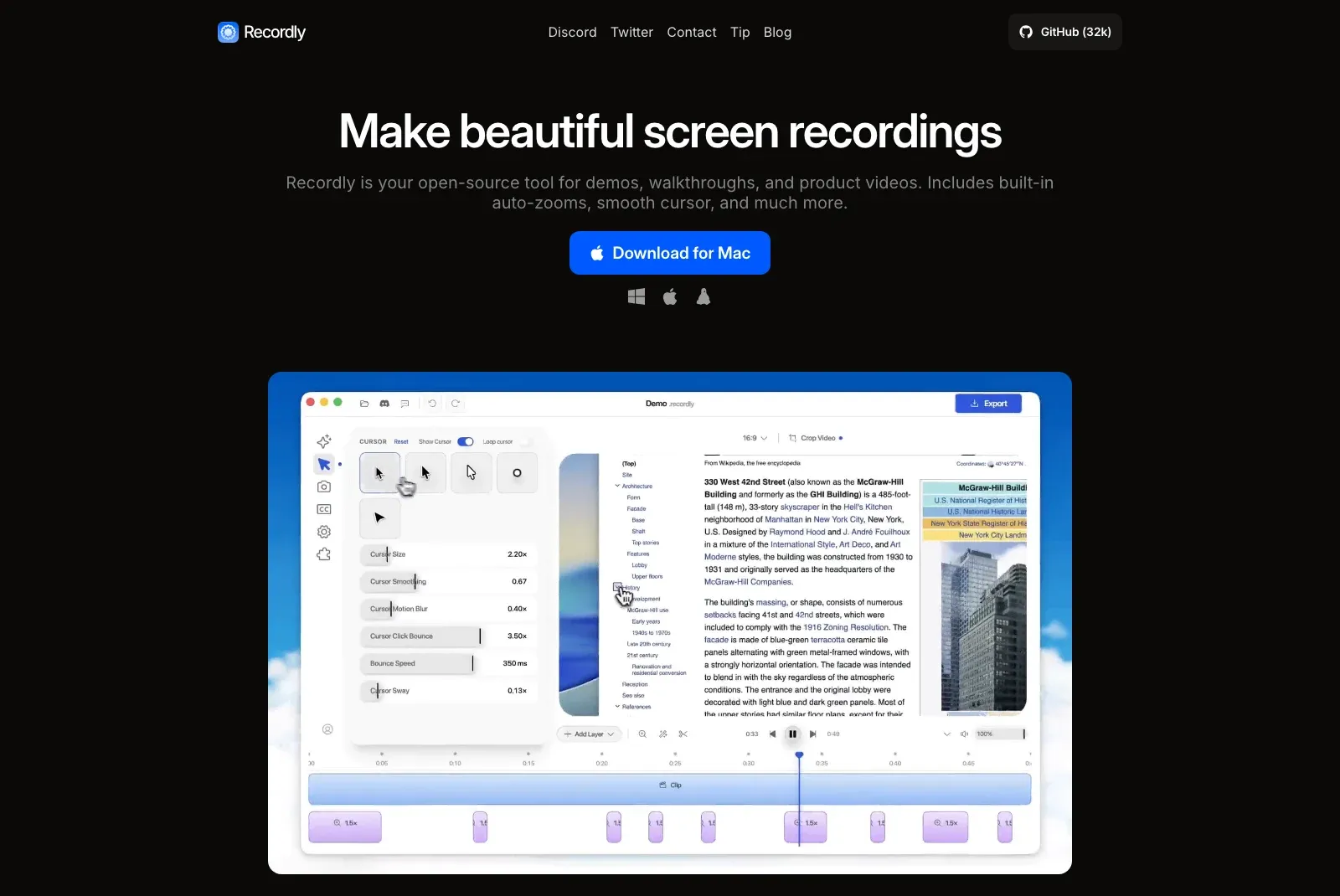
Recordly started as a fork of OpenScreen and is now its own project, licensed under AGPL-3.0. It suggests zooms from your cursor activity, smooths the cursor, adds motion blur and click bounce, and offers a webcam bubble that can grow and shrink with the zoom. Its drag-and-drop timeline handles zooms, trims, speed regions, annotations and extra audio, and projects save as .recordly files you can reopen. (Per recordly.dev and its GitHub README, checked 2 October 2026.)
Why it wins over Screen Studio:
- Free, and its site says it will stay free, with commercial use allowed
- Runs on Mac, Windows and Linux
- Open source under AGPL-3.0, plus community extensions that add click sounds, device frames, wallpapers and more
Pricing: Free. Recordly’s FAQ says it “will be free forever” and that commercial use is allowed under AGPL-3.0.
Best for: People who want free automatic zoom plus hands-on timeline control, or who need to polish a recording made in another app.
Tradeoff: Like Screen Studio and OpenScreen, it is an Electron app, with an Apple silicon installer of about 188 MB (version 1.4.0 on GitHub). It needs macOS 14 Sonoma or later, while CursorClip runs on macOS 13.5 Ventura. On Linux, cursor hiding is not supported yet.
Descript: best for AI transcript editing
Supported systems: macOS 14 or later, Windows 11 or later
Descript is the best Screen Studio alternative for AI transcript editing. Screen Studio now lets you edit by transcript as well, but Descript is a full editor built around the transcript. You edit the narration like a document, clean up audio, cut filler words, and turn long recordings into clips, across a multitrack project.
Why it wins over Screen Studio:
- A whole editing workflow built on the transcript, with multitrack audio and video
- Remote recording with Rooms, for interviews and podcasts with guests
- Translation and AI dubbing, plus automatic clips for repurposing long recordings
- Strong for courses, long-form demos, and repurposed content
Pricing: Free tier with 60 media minutes a month. Paid plans start at $16 per person per month billed annually, or $24 billed monthly (descript.com/pricing, checked 2 October 2026).
Best for: Anyone whose bottleneck is narration cleanup or repurposing recordings, not just recording them.
Tradeoff: Heavier and more complex than Screen Studio. Not the right tool if you just need to record and export quickly. Like Screen Studio, it is built on Electron: the Mac build Descript serves for download (version 114.0.4) contains the Electron framework (checked 2 October 2026).
For a full Mac-specific breakdown of Descript, see the 13 Mac screen recording apps roundup.
Camtasia: best for tutorials, training, and callouts
Supported systems: macOS 14.0 or later, Windows 10 (64-bit, version 20H2) or later (system requirements, checked 2 October 2026)
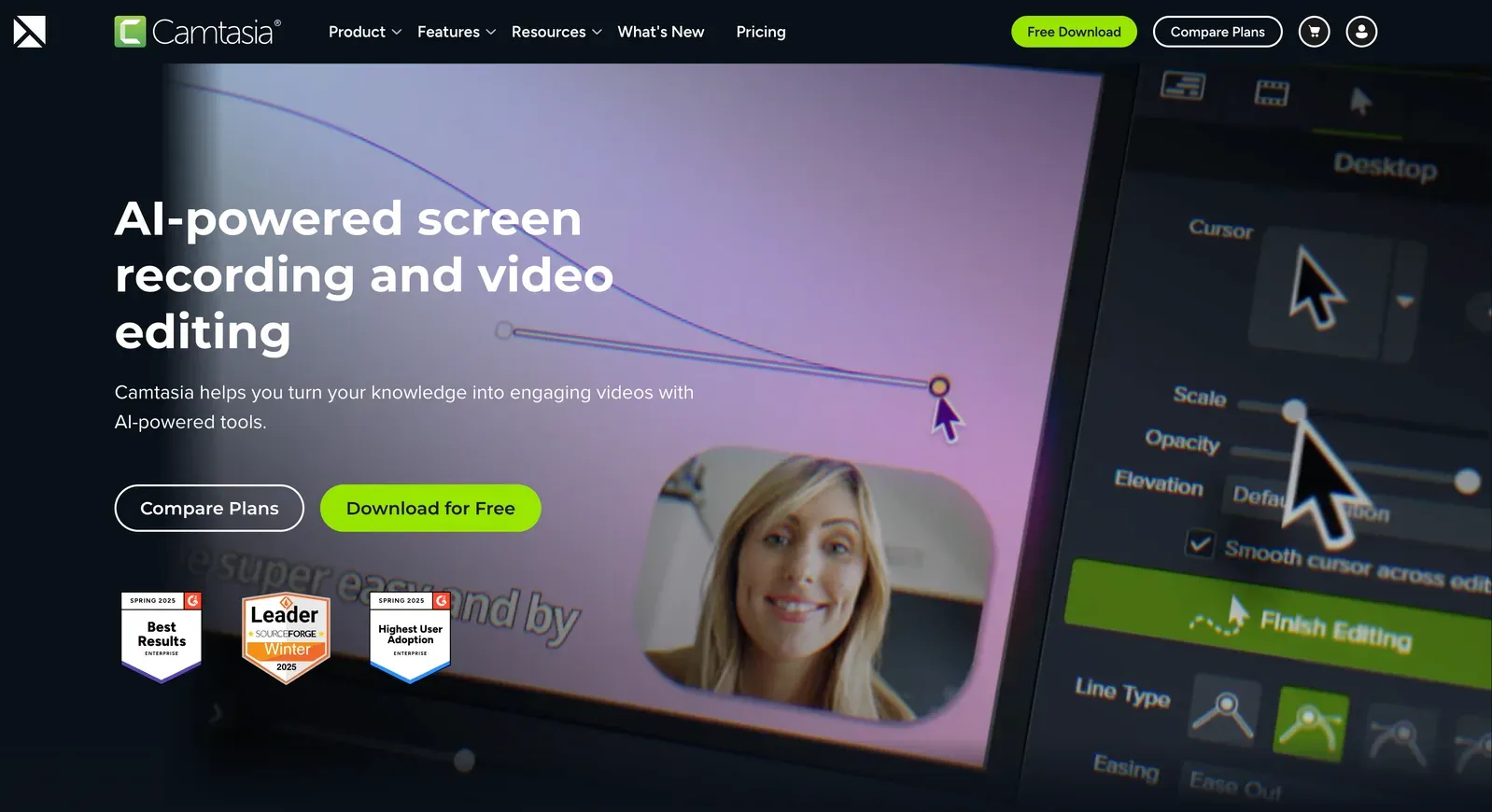
Camtasia is the best Screen Studio alternative for tutorials, training, and callouts. It goes deeper than Screen Studio on structured teaching content. Where Screen Studio focuses on polished auto-zoom demos, Camtasia gives you callouts, annotations, a multi-track timeline, and interactive quizzes. It is a fuller production environment built for instructional content.
Camtasia has automatic zoom too. Its SmartFocus effect reads the mouse movement, scrolling and clicks in a recording made with Camtasia Recorder, then adds zoom and pan animations you can adjust before export (TechSmith, checked 2 October 2026).
Why it wins over Screen Studio:
- Callouts, annotations, and a multi-track timeline for step-by-step lessons
- Interactive quizzes and SCORM export for learning platforms (TechSmith store, checked 2 October 2026)
- More editorial control for structured multi-step tutorials
- Works on both Mac and Windows
Pricing: Billed yearly. TechSmith’s subscription FAQ says there is no monthly option. For a US buyer, TechSmith lists Starter at $39 a year (its Camtasia Editor watermarks exports), Essentials at $179.88, Create at $249 and Pro at $599 (TechSmith all products, checked 2 October 2026). TechSmith sets prices by country, so your store may show a different figure. Our Camtasia pricing guide explains what each plan includes.
Best for: Educators, corporate training teams, and onboarding content, not quick product demos.
Tradeoff: Much steeper learning curve and more hands-on editing than Screen Studio or CursorClip. Overkill for simple demo recordings. On a Mac it needs macOS 14.0 or later, while CursorClip runs on macOS 13.5.
For a full Mac-specific breakdown of Camtasia, see the 13 Mac screen recording apps roundup.
Loom: best for async team communication
Supported systems: macOS, Windows, iOS, Android, Chrome extension
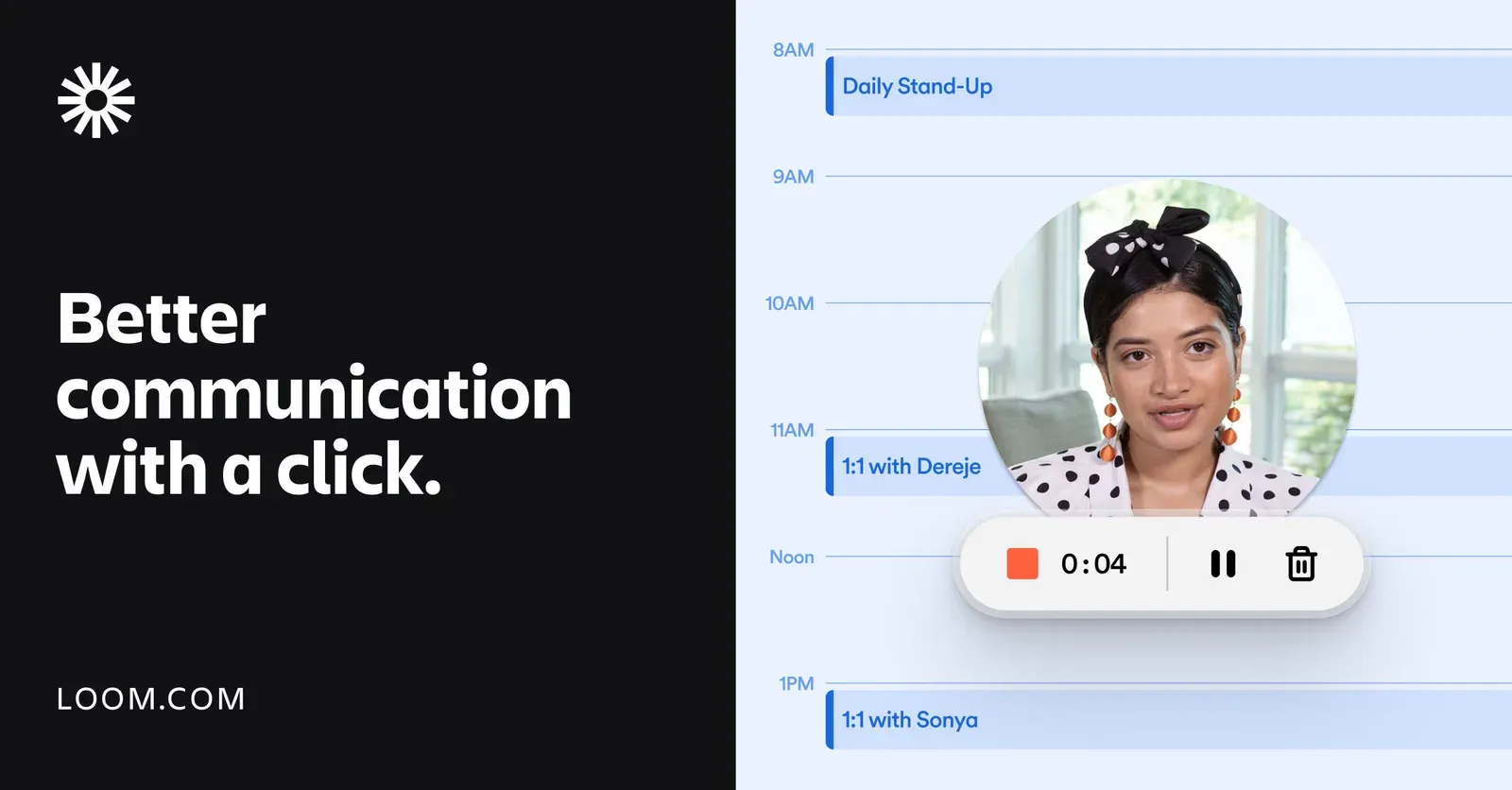
Loom is the best Screen Studio alternative for async team communication. It solves a different problem than Screen Studio. Screen Studio is for polished output: product videos, marketing walkthroughs, tutorials. Loom is for fast communication: record a thought, send the link, get comments back. If you are paying for Screen Studio just to share internal updates or bug explanations, Loom is the faster fit, and its free tier may be enough.
Why it wins over Screen Studio:
- No post-production step, just record, share the link, done
- Team workspaces and integrations with Slack, Jira, Confluence and GitHub
- Works across Mac, Windows, iOS, Android and the browser
- A free tier covers light communication
Pricing: Free Starter tier with 25 videos per person, 5-minute recordings, and video up to 720p. Business is $18 per user per month, with up to 17% off on annual billing (loom.com/pricing, checked 2 October 2026).
Best for: Internal updates, bug reports, design handoffs, and quick walkthroughs, not polished marketing demos.
Tradeoff: Built for quick communication rather than polished output. If your recordings are for external audiences, Screen Studio or CursorClip are stronger. Its desktop app is built on Electron: the Mac update feed (latest-mac.yml) is an electron-builder manifest, and the current Apple silicon build, 0.379.4, contains the Electron framework (checked 2 October 2026).
For a full Mac-specific breakdown of Loom, see the 13 Mac screen recording apps roundup.
OBS Studio: best for full manual control
Supported systems: macOS 13 or later, Windows 10 and 11, Linux
OBS Studio is the free, open-source workhorse. It is cross-platform and puts no limit on recording time or export quality. The tradeoff is that Screen Studio’s value proposition, “record and look polished with almost no effort”, does not exist in OBS. You configure scenes, sources and output yourself, and there is no automatic zoom.
Why it wins over Screen Studio:
- Completely free, no subscription, no one-time fee
- Open source (GPL-2.0), cross-platform (Mac, Windows, Linux)
- No export watermarks or recording limits
- Maximum flexibility for streaming, multi-source recording, and custom layouts
Pricing: Free. OBS Studio is open source with no paid tiers (obsproject.com, checked 2 October 2026).
Best for: Power users and streamers who want full control and zero cost, and are willing to invest time in setup.
Tradeoff: No automatic zoom, no instant polish, and a steep setup curve. If you want free automatic zoom, OpenScreen or Recordly are closer to Screen Studio.
Best free and open-source Screen Studio alternatives
If you specifically searched for a free Screen Studio alternative or an open-source Screen Studio alternative, there are now four real options:
| Tool | Free for work? | Automatic zoom | License |
|---|---|---|---|
| OpenScreen | Yes | Yes, from your clicks | MIT |
| Recordly | Yes | Yes, suggested from cursor activity | AGPL-3.0 |
| Cap | No, personal use only | Yes, from your clicks | AGPLv3 for most code |
| OBS Studio | Yes | No | GPL-2.0 |
All four run on Mac, Windows and Linux (Cap’s Windows build is in beta, and Recordly needs macOS 14 or later on a Mac). OpenScreen is the best place to start if free is the requirement. Recordly is the close second, with a webcam bubble that reacts to zoom and community extensions. Both can also import a video you already recorded. Cap fits if you want share links and can pay $58 once or $29 a year for commercial use. OBS Studio is the toolkit choice: complete control in exchange for setup time.
The free apps are bigger downloads with higher Mac requirements. OpenScreen and Recordly are built on Electron, as Screen Studio is, with Mac installers of about 138 MB and 188 MB, where CursorClip’s is 27 MB. OpenScreen records your microphone only on macOS 15 or later, and Recordly needs macOS 14, while CursorClip runs on macOS 13.5. If you work on a Mac and want automatic zoom without a subscription, try CursorClip free: free to record and edit, a license to export. If you just need simple Mac recording, QuickTime Player is the easiest free fallback.
Best Screen Studio alternatives for Mac
Screen Studio is a Mac app, so most Mac users searching for an alternative are not switching platforms, they want a better fit for their workflow or budget. These are the strongest alternatives on a Mac:
| If you need… | Best pick | Why |
|---|---|---|
| A lighter, one-time-payment Screen Studio alternative | CursorClip | 27 MB native Mac app, automatic zoom on your clicks, no mandatory subscription |
| Free automatic zoom on Mac | OpenScreen | Free and open source, including for commercial use |
| Share links plus an auto-zoom editor | Cap | Studio Mode editor and Instant Mode links in one app |
| Transcript editing and AI cleanup on Mac | Descript | Edit by transcript, filler word removal, strong for narrated content |
| Structured tutorials and training on Mac | Camtasia | Callouts, annotations, quizzes, and a full teaching workflow |
If your main concern is pricing, see the full CursorClip vs Screen Studio pricing breakdown. If you want a broader Mac screen recorder comparison beyond Screen Studio alternatives, see the 13 Mac screen recording apps roundup.
Best Screen Studio alternatives for Windows
Screen Studio is Mac-only. That is the primary reason Windows users search for alternatives, not pricing, not features, but basic platform support. If your team has a mix of Mac and Windows users, Screen Studio is simply not an option for everyone.
These are the strongest Windows-compatible alternatives, mapped to the specific gap they fill:
| If you need… | Best pick | Why |
|---|---|---|
| Free automatic zoom on Windows | OpenScreen | Free, open source, and the closest match to Screen Studio’s look |
| A second free auto-zoom option | Recordly | Zoom suggestions, a webcam bubble that reacts to zoom, community extensions |
| Share links plus an auto-zoom editor | Cap | Windows 10 or later, with the Windows build listed as beta |
| Free manual control | OBS Studio | Free on Mac, Windows, and Linux, unlimited recording |
| Transcript editing and AI cleanup | Descript | Edit by transcript instead of a timeline |
| Fast async sharing for teams | Loom | Cross-platform, instant share links, no post-production needed |
| Structured tutorials and training content | Camtasia | Full Windows support, annotations, callouts, teaching workflow |
The most important filter for mixed-platform teams is platform support first, then workflow fit. Every tool in this table runs on Windows.
How to choose a Screen Studio alternative
Answer these four questions in order and the shortlist picks itself:
1. What platform do you need?
- Mac only: CursorClip, Cap, OpenScreen, Recordly, OBS Studio, Descript, or Camtasia all work.
- Windows, Linux, or a mixed team: OpenScreen, Recordly, Cap, or OBS Studio, plus Descript, Camtasia, or Loom on Windows. CursorClip is macOS-only.
2. What is your budget?
- Zero: OpenScreen, Recordly, or OBS Studio. Loom’s free tier covers short updates.
- Pay once, own it: CursorClip at $70, or Cap’s $58 commercial license.
- A subscription is fine: Descript, Camtasia, Loom, or Cap Pro, depending on workflow.
3. Do you need automatic polish, or manual control?
- Automatic polish on a Mac, with a native app: CursorClip.
- Automatic polish on any platform: OpenScreen, Recordly, or Cap.
- Automatic zoom inside a full teaching editor, on Mac or Windows: Camtasia, with its SmartFocus effect.
- Full manual control over scenes, sources, and output: OBS Studio.
4. What happens after you record?
- Nothing, you just export and share the file: CursorClip, OpenScreen, or OBS Studio.
- Fine-tuning on a timeline: OpenScreen or Recordly.
- Heavy narration cleanup and repurposing: Descript.
- Structured editing with callouts and quizzes: Camtasia.
- Send a link and collect comments: Loom or Cap.
Screen Studio alternative cheat sheet by use case
| Scenario | Best choice | Why |
|---|---|---|
| Solo Mac founder recording product demos | CursorClip | Polished automatic zoom, $70 once instead of a subscription |
| Windows or Linux user who wants Screen Studio’s look for free | OpenScreen | Free, open source, automatic zoom on every platform |
| Polishing a recording you already made in another app | OpenScreen or Recordly | Both import existing videos for free; CursorClip only edits its own recordings |
| Team that wants a share link and an editor in one app | Cap | Instant Mode links plus Studio Mode editing |
| Course creator cleaning up narrated recordings | Descript | Edit the transcript and the video follows, filler word removal |
| Corporate trainer building onboarding modules | Camtasia | Callouts, annotations, and quizzes built for teaching |
| Team sending daily async updates | Loom | Record, share link, get comments, no post-production |
| Streamer or power user who wants total control | OBS Studio | Multi-source scenes, unlimited recording, zero cost |
| Educator recording Mac tutorials on a budget | CursorClip | Automatic zoom and a notes teleprompter without recurring cost |
What Screen Studio still does better
Not everyone searching for a Screen Studio alternative should switch. Screen Studio has kept adding features, and on 2 October 2026 its site listed several that CursorClip does not have:
- Editing by transcript, with filler words and long pauses cleared in one pass
- Captions, and an .srt transcript export that matches the edited video
- iPhone and iPad recording over USB, wrapped in a device frame
- Share links with comments and view counts
- Microphone noise reduction after recording
- Importing a video recorded elsewhere and editing it like a recording
Screen Studio is still a good fit if you are Mac-only, want those features in one app, and do not mind paying every month or every year. But if you want a simpler ownership model, broader platform support, or a free open-source app, the alternatives above are stronger fits.
Frequently Asked Questions
The basics
What is the best Screen Studio alternative?
For most Mac users, CursorClip is the best Screen Studio alternative. It zooms in on your clicks automatically, runs as a native Mac app, and costs $70 once instead of $108 a year. It is free to record and edit, and a license unlocks export. If you need Windows, Linux or open source, look at OpenScreen, Recordly or Cap.
What is the best free Screen Studio alternative?
OpenScreen is the closest free match. It is open source under the MIT license, free for commercial use, and adds automatic zoom, backgrounds and cursor effects on Mac, Windows and Linux. Recordly is a similar free option, with a webcam bubble that reacts to zoom and community extensions. OBS Studio is free too, but it has no automatic zoom.
Is there an open-source Screen Studio alternative?
Yes, several. OpenScreen (MIT) and Recordly (AGPL-3.0) are free, open-source apps with automatic zoom. Cap is open source as well, but its free use is personal only, and commercial work needs a $29 per year or $58 one-time license. OBS Studio is open source with full manual control and no automatic polish.
Is Cap a good Screen Studio alternative?
Yes, if you want Mac, Windows and Linux plus share links. Cap’s Studio Mode records locally in up to 4K with automatic zoom and cursor effects, and its Instant Mode puts a share link on your clipboard when you stop. It is free for personal use. Commercial use needs a Desktop License ($29 per year or $58 once) or Cap Pro ($12 per user per month). See the Cap section above for the full comparison.
Platform picks
What is the best Screen Studio alternative for Mac?
CursorClip is the strongest Screen Studio alternative for Mac if your goal is fast demos with automatic zoom and a one-time $70 license. It runs on macOS 13.5 or later, on Apple silicon and Intel. If you need a full teaching editor instead, look at Camtasia.
What is the best Screen Studio alternative for Windows?
Screen Studio is Mac-only. OpenScreen and Recordly both run on Windows with automatic zoom for free, and Cap has a Windows version in beta. OBS Studio is the free option with full manual control. Descript, Loom, and Camtasia fit if you need transcript editing, async sharing, or structured tutorials.
Are there any good browser-based alternatives?
Yes. Loom is the easiest browser-friendly option if your main goal is recording and sharing updates quickly. It is better for communication than for polished product demos.
Pricing and licensing
What is the cheapest Screen Studio alternative?
OpenScreen, Recordly and OBS Studio are free. If you want a paid license without a subscription, Cap’s commercial Desktop License is $58 once and CursorClip’s lifetime license is $70 once, which is less than three months of Screen Studio’s $29 monthly plan.
How much do I save switching from Screen Studio to CursorClip?
Screen Studio costs $108 per year on its annual plan ($9/month billed yearly) or $29/month billed monthly. In year one, CursorClip’s $29 annual plan costs $79 less than Screen Studio’s annual plan. Over three years, the $70 lifetime license costs $254 less ($70 vs $324), and over five years $470 less ($70 vs $540). CursorClip is macOS-only, so this only applies if you are on a Mac.
Is CursorClip free?
Free to record and edit. A license to export. You can download CursorClip, record and edit without an account, and buy a license when you want to export the finished video. Every plan comes with a 14-day money-back guarantee. See CursorClip pricing for the plans.
Can I use one CursorClip license on my laptop and my desktop?
Yes. One CursorClip license activates on up to 3 Macs at the same time, so a laptop and a desktop are both covered with room for one more. If a team needs more seats, email support@cursorclip.com.
Ready to record polished demos without a subscription?
If you want a Mac-native Screen Studio alternative that stays fast, simple, and affordable over time, try CursorClip free: free to record and edit, a license to export.
Related Articles
- 13 Best Screen Recorders for Mac - Complete roundup of major Mac screen recording tools
- CursorClip vs Screen Studio - Detailed pricing and feature comparison
- Mastering Mac Screen Recordings with Intelligent Zoom - Deep dive into auto-zoom technology
- Best Video Editors for macOS Beginners - If you need to edit recordings after capture
More screen recorder alternatives
Comparing other tools too? These guides cover the most common alternatives Mac users research:
- CleanShot X alternative for Mac - For users weighing CleanShot X against a dedicated screen recorder
- Cursorful alternative (auto-zoom) - Native auto-zoom instead of the Cursorful browser extension
- Jumpshare alternative for Mac - For recording and polished demos rather than file sharing
- FocuSee alternative for Mac - A lighter, native take on automatic zoom and cursor highlights
- CursorClip coupons and discounts - Current deals on the one-time license

