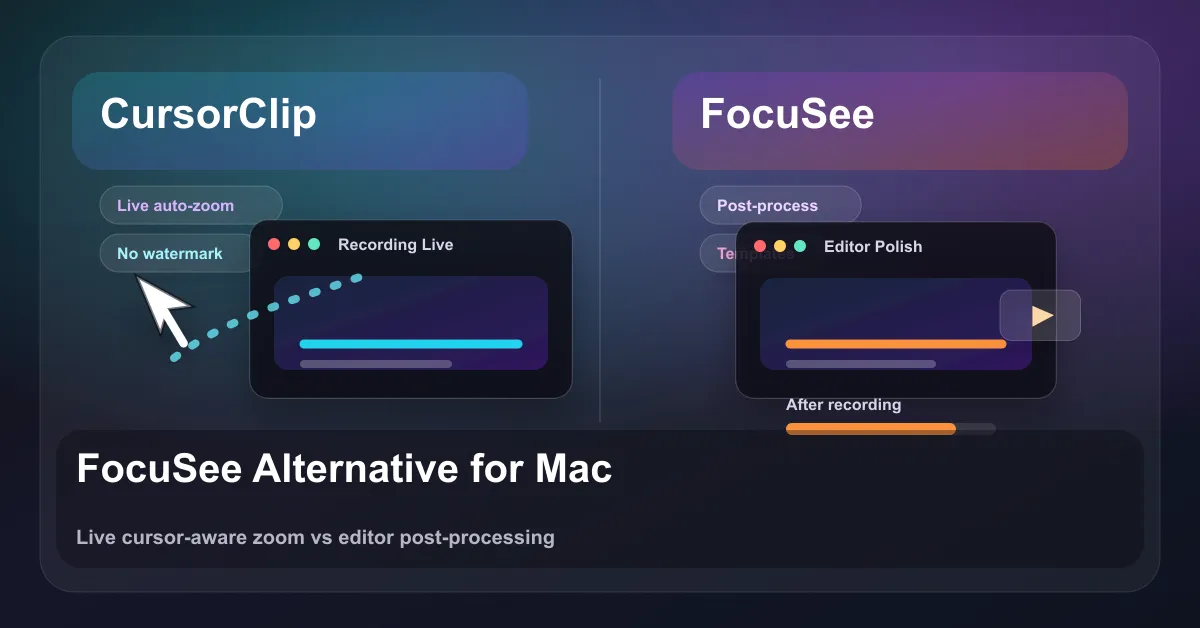
Quick answer: FocuSee is an auto-zoom screen recorder for Windows and Mac made by iMobie. It costs $19.99 a month, $49.99 a year or $199.99 once, and free trial exports carry a watermark. For a free alternative, use Cap or OBS. On a Mac, CursorClip applies auto-zoom as you record for $70 once.
What FocuSee costs in 2026
FocuSee is sold mainly as a subscription, with one lifetime plan. These are the prices on FocuSee’s pricing page on 6 October 2026:
| Plan | Price | What you get |
|---|---|---|
| Free trial | $0 | Standard features and one exported video, with a watermark |
| Standard (monthly) | $19.99/mo (crossed-out $24.99) | 1 computer, unlimited recordings, 4K and 60 fps, watermark removed, 5 GB cloud storage |
| Standard (yearly) | $49.99/yr | Same as monthly, billed yearly |
| Advanced (monthly) | $24.99/mo (crossed-out $29.99) | Up to 3 computers, AI editing features, 300 AI credits a month |
| Advanced (yearly) | $79.99/yr | Up to 3 computers, AI editing, 3,600 credits a year issued as 300 a month |
| Advanced Lifetime | $199.99 once (crossed-out $719.99) | Up to 5 computers, AI editing, 1,000 credits valid for one year, lifetime access to FocuSee 2.x |
Prices checked 6 October 2026. FocuSee shows most of them as sale prices against higher crossed-out prices, and sale prices change, so check its pricing page before you buy.
What these plans mean in practice:
- Is FocuSee free? Not for clean videos. The free trial lets you try the standard features and export one video, but removing the watermark is a paid feature. If you want a free FocuSee alternative with clean exports, see the free options below.
- The FocuSee lifetime deal is $199.99 and tied to version 2.x. It is a one-time purchase, but its AI credits are a one-year allowance, so the AI features carry an ongoing cost even on the lifetime plan.
- Every other plan is a subscription. Monthly and yearly plans renew automatically until you cancel.
- AI features run on credits. Subtitles, filler-word removal, voice enhancement and avatars draw from a credit pool. FocuSee’s FAQ says the cost of credits you have used is deducted from any refund.
- Refunds depend on the plan. Yearly and lifetime purchases have a 60-day money-back guarantee; monthly plans have 7 days.
For comparison, CursorClip is $70 once for up to 3 Macs, with a 14-day money-back guarantee. There are no credits to track because there is no cloud AI layer to meter.
FocuSee alternatives at a glance
These are the 7 tools most worth comparing with FocuSee, free and paid. Prices were read from each vendor’s own site on 6 October 2026.
| Tool | Price | Auto zoom | Platforms | Best for |
|---|---|---|---|---|
| CursorClip | $70 once (or $29/yr, $9/mo) | Yes, cursor-aware, applied as you record | macOS 13.5+ | Mac users who want finished recordings and a one-time price |
| Screen Studio | $29/mo or $108/yr | Yes, from your clicks | macOS only (Electron app) | Mac users happy to subscribe for a bigger editor and share links |
| Cap | Free for personal use; $58 once or $29/yr for commercial use | Yes | Mac, Windows (beta), Linux | A free, open-source FocuSee alternative |
| CleanShot X | $35 once (1 year of updates, then optional $19/yr) | Yes, smart zooms in Studio Mode since 5.0 | macOS only | People who want screenshots and screen recording in one app |
| ScreenKite | Free with watermark; Pro $79.99 once | Yes | macOS (Windows in beta) | A bigger one-time-price editor with captions |
| Cursorful | Free extension (non-commercial); Pro $79 once | Yes | Chrome, Edge and Brave extension; Pro desktop apps for Mac and Windows | Recording web apps inside the browser |
| OBS Studio | Free, open source | No | Mac, Windows, Linux | Streaming and long recordings where zoom does not matter |
Screen Studio’s Mac update archive, linked from its download page, contains Electron Framework (checked 2 October 2026). CursorClip is a native Mac app.
Try CursorClip free or see pricing ($70 once). Free to record and edit. A license to export.
More roundups if you are comparing widely: Screen Studio alternatives, Camtasia alternatives for Mac and OBS alternatives for Mac.
Free FocuSee alternatives
If you searched for a FocuSee free alternative, these give you clean exports without paying:
- Cap. The closest free match. It is open source, adds automatic zoom and cursor effects, and records screen, camera and mic on separate tracks. It is free for personal use; commercial use needs the $58 one-time Desktop License or $29 a year.
- OBS Studio. Free for any use, on Mac, Windows and Linux. It records and streams well, but it has no automatic zoom and no editor, so you would add zooms in a separate video editor.
- Cursorful (free tier). A browser extension for Chrome, Edge and Brave with automatic zoom and pan and unlimited exports. The free tier is for non-commercial use, and it records inside the browser only.
- The built-in recorder. On a Mac, press Shift-Command-5 to record the screen with no install. On Windows, the Snipping Tool records the screen. Neither adds zoom.
A note on “FocuSee cracked” downloads: they are not worth the risk. Cracked installers skip updates and are a common way malware gets onto computers, and the free tools above already give you clean exports.
CursorClip is not free to export, but you can try it free: recording and editing cost nothing, with no account and no time limit, and you pay only when you want to export.
FocuSee on Mac
FocuSee for Mac runs on macOS 10.15 or later, and FocuSee says it works best on macOS 12.3 and above. It supports Apple M1 or later and Intel Macs, and asks for at least 8 GB of RAM and 500 MB of free disk space (FocuSee tech specs, checked 6 October 2026). The Standard plans cover one computer, Advanced covers 3, and the lifetime plan covers 5.
The workflow on Mac is the same as on Windows: you record, FocuSee generates zooms from your clicks, and you review them in its editor before you export.
CursorClip takes a different route. It is built only for the Mac (macOS 13.5 or later, Intel and Apple silicon) and applies cursor-aware zoom while you record, so the video is already zoomed when you stop. You can still adjust zooms afterward if you want to; how automatic zooms work explains the details. A license covers up to 3 Macs. If you are on Windows, CursorClip will not run there, and FocuSee or Cap is the better choice.
CursorClip vs FocuSee at a glance
| CursorClip | FocuSee | |
|---|---|---|
| Pricing model | One-time, lifetime | Subscription (plus a pricey lifetime tier) |
| Entry price | $70 once (also $9/mo, $29/yr) | $19.99/mo or $49.99/yr; lifetime $199.99 |
| Platform | macOS 13.5+ only | Windows and macOS |
| Auto-zoom | Cursor-aware, applied live as you record | Click-based, generated then reviewed in an editor |
| Editing required | None (record, stop, export) | Editor step expected before export |
| Exports / watermark | Watermark-free 4K, no time limit | 4K up to 60fps; free exports are watermarked |
| Account required | No, fully offline | Cloud features and AI credits tied to an account |
| App footprint | ~46 MB installed | Heavier (editor plus AI suite) |
| Best for | Polished, share-ready Mac recordings with no editing | Cross-platform recordings with an AI editing suite |
Where FocuSee is genuinely better
Being fair: FocuSee is a broader product, and for some people that breadth is exactly the point.
- It runs on Windows. CursorClip is macOS only (macOS 13.5+). If you or your team are on Windows, this comparison ends here. FocuSee covers you and CursorClip does not.
- It is a real editor, not just a recorder. FocuSee gives you a timeline where you can fine-tune zoom timing and scale, add annotations (text, arrows, shapes, spotlights), apply 3D motion and background effects, and manually place zooms. If you want to shape the video after recording, that is built in.
- It has an AI suite. Auto subtitles in 50+ languages, filler-word and silence removal, voice enhancement, avatars, and background replacement. CursorClip does none of this. It is not trying to.
- It has cloud and team-friendly extras. Cloud storage and multi-device licensing on higher tiers suit people who want their library and effects available across machines.
If your work is “record, then edit into something with effects, captions, and AI cleanup, possibly on Windows,” FocuSee is the right tool and CursorClip is not a replacement.
Where CursorClip wins
CursorClip is narrower on purpose, and the narrowness is the advantage for one specific job: getting a clean, professional screen recording out the door without an editing session. If you mainly want the best screen recorder with auto zoom on Mac and not a full editing suite, this is where it pulls ahead.
- Auto-zoom is applied live, not in a post step. CursorClip’s cursor-aware zoom follows what matters as you record, with smooth pans, so when you hit stop the recording already looks edited. FocuSee generates zoom from your clicks too, but it lands in an editor that expects you to review and adjust before export. CursorClip removes that step entirely.
- No editing required, no multi-track timeline, no learning curve. Record, stop, export. That is the whole workflow. There is nothing to fine-tune unless you want to, and when you do, one timeline holds your cuts, trims and speed changes.
- Pay once, own it. $70 lifetime versus a subscription that keeps billing, or a $199.99 lifetime tier on FocuSee that is nearly three times the price. (CursorClip also offers $9/mo and $29/yr if you would rather start small.)
- Watermark-free 4K from the start. No watermark to pay your way out of, with system audio and mic capture included.
- Fully offline, no account. Nothing leaves your Mac. No sign-up, no cloud dependency, no credits to track. The app is about 46 MB installed.
The honest framing: CursorClip is best for polished, share-ready recordings (demos, tutorials, devlogs, bug repros) where the value is that the recording is done the moment you stop. It is not a full video editor and it does not do AI captions or avatars.
Who should pick which
Pick FocuSee if you:
- Are on Windows, or support a mixed Windows/Mac team
- Want a timeline editor to fine-tune zoom, add annotations, and apply effects
- Need AI features like auto subtitles, filler-word removal, or voice enhancement
- Are fine with a subscription, or the $199.99 lifetime tier, and a watermark on free exports
Pick CursorClip if you:
- Are on a Mac (macOS 13.5+) and want recordings that look edited without editing
- Value cursor-aware zoom applied live, so there is no post-processing step
- Would rather pay $70 once than subscribe
- Want watermark-free 4K, offline use, no account, and a tiny app
- Mostly record product demos, tutorials, UI walkthroughs, devlogs, or bug repros
Verdict
FocuSee and CursorClip both solve the “screen recordings should not look raw” problem, but they solve it from opposite directions. FocuSee is a broad, cross-platform recorder-plus-editor with an AI suite, priced as a subscription (with an expensive lifetime option) and gated behind a watermark until you pay. CursorClip is a focused, Mac-only recorder that applies cursor-aware zoom live so the recording is finished when you stop, sold once for $70 with no watermark, no account, and no editing step.
If you need Windows, a full editor, or AI tooling, stay with FocuSee. If you want a free FocuSee alternative, start with Cap. If you are on a Mac and your goal is polished, share-ready recordings without the editing work or the recurring bill, CursorClip is the cleaner, cheaper fit.
Try CursorClip free or see pricing ($70 once). Free to record and edit. A license to export. One license covers up to 3 Macs.
For more options, see Top Screen Studio Alternatives and 13 Best Screen Recorders for Mac.
Related comparisons
If you are still weighing tools, these head-to-head guides cover the other recorders people compare against FocuSee:
- CursorClip vs ScreenKite
- CleanShot X alternative for Mac
- Cursorful alternative (auto-zoom)
- Camtasia alternatives for Mac
- OBS alternatives for Mac
- Jumpshare alternative for Mac
- CursorClip coupons and discounts
Try CursorClip
CursorClip is $70 one-time, watermark-free, and works fully offline on macOS 13.5 (Ventura) or later. It is Mac only, so it will not run on Windows. Recording and editing are free, so you can test it before paying, a license covers up to 3 Macs, and every plan has a 14-day money-back guarantee.
See CursorClip pricing or download CursorClip.
FAQ
Is FocuSee free?
No. FocuSee has a free trial that lets you try the standard features and export one video, but removing the watermark is a paid feature. Paid plans start at $19.99 a month or $49.99 a year for Standard, and the AI features need the Advanced plan and its credits. If you want clean exports at no cost, Cap (personal use) and OBS are free.
How much is FocuSee?
On FocuSee’s pricing page on 6 October 2026, Standard was $19.99 a month or $49.99 a year for one computer. Advanced was $24.99 a month or $79.99 a year for up to 3 computers, with 300 AI credits a month. Advanced Lifetime was $199.99 once for up to 5 computers. Most of these were sale prices, which can change.
Is there a FocuSee lifetime deal?
Yes. FocuSee sells an Advanced Lifetime plan for $199.99 once, shown against a crossed-out $719.99. It covers up to 5 computers and lifetime access to FocuSee 2.x, and it includes 1,000 AI credits that are valid for one year. For a one-time price on a Mac, CursorClip is $70 once for up to 3 Macs.
Is FocuSee a one-time purchase?
Only the Advanced Lifetime plan, at $199.99. The Standard and Advanced plans are subscriptions that renew monthly or yearly until you cancel. The lifetime plan covers the 2.x version line, and its AI credits expire after a year.
Does FocuSee work on Mac?
Yes. FocuSee runs on Windows and macOS. Its tech specs list macOS 10.15 or later, with the best experience on macOS 12.3 and above, an Apple M1 or later or an Intel Mac, and at least 8 GB of RAM.
Does FocuSee have a watermark?
Free trial exports carry a watermark. FocuSee’s pricing page lists Remove Watermark as a feature of its paid plans, which also let you add your own custom watermark.
What is the best free FocuSee alternative?
Cap is the closest free match. It is open source, adds automatic zoom, runs on Mac, Windows (beta) and Linux, and is free for personal use; commercial use needs a $58 one-time license. OBS Studio is free for any use but has no automatic zoom. Cursorful’s free Chrome extension adds auto zoom for browser recordings, for non-commercial use.
Is FocuSee safe?
The official app from focusee.imobie.com is commercial software from iMobie. The risk is cracked copies, which skip updates and can carry malware. With Cap and OBS free, there is no good reason to run a cracked FocuSee.
Is FocuSee worth it?
It is worth it if you need Windows support, a full editor and AI tools like subtitles and filler-word removal. If you are on a Mac and want auto-zoomed recordings without an editing step or a subscription, CursorClip is $70 once. FocuSee Standard is $49.99 a year, so two years cost $99.98, and the AI features need Advanced at $79.99 a year.
What is the best FocuSee alternative for Mac?
If your main need is polished screen recordings of software (demos, tutorials, devlogs, bug repros) where cursor-aware zoom matters and you do not want an editing step, CursorClip is the strongest FocuSee alternative on Mac. It is macOS native, $70 once, watermark-free at 4K, works offline with no account, and applies auto-zoom live so recordings come out finished. If you need Windows support or a full AI editor, FocuSee remains the better fit.
Does CursorClip work on Windows?
No. CursorClip is macOS only and requires macOS 13.5 (Ventura) or later. If you need Windows support, FocuSee is cross-platform and the better choice. CursorClip is built specifically for Mac and does not offer a Windows version.
What is the difference between FocuSee’s auto-zoom and CursorClip’s?
Both zoom toward where you are working, but the workflow differs. FocuSee detects your clicks and generates zoom animations that you then review and fine-tune in its editor before exporting. CursorClip applies cursor-aware zoom and smooth pans live as you record, so when you stop, the recording is already polished with no editing step. FocuSee gives you more manual control after the fact; CursorClip gives you a finished result immediately.

