Quick answer: Tella Pro costs $26 per user a month, or $13 a month billed yearly. Premium costs $39, or $19 billed yearly, and removes the 5-minute limit on 60fps exports. Both are subscriptions with no one-time option. CursorClip is a Mac-only alternative you can buy once. Tella prices checked on its pricing page on 2 October 2026.
If you’re comparing Tella with CursorClip, you’ve already narrowed it down to two very different philosophies about what a screen recorder should be.
Tella is built around the idea that recording and editing should happen in the same place: clips, AI trimming, instant shareable links, multi-take assembly. CursorClip is built around one idea: record once, get a polished result, ship it. No editing session. No subscription required. No cloud.
Both are good at what they do. The question is which one matches how you actually work.
Tella vs CursorClip: Full Comparison
| Feature | Tella | CursorClip |
|---|---|---|
| Price | $26/month Pro · $39/month Premium | $70 one-time |
| Free option | Free trial: 7 days, no credit card required | Free to record and edit; license to export |
| Subscription required | Yes, cancel and lose access | No, buy once, own forever |
| Mac support | Yes, native macOS app + browser | Yes, native macOS only |
| Windows support | Yes, native Windows app + browser | No |
| Auto-zoom | Yes, Auto Zoom in its editor | Cursor-follow auto-zoom |
| 60fps export | Up to 5 minutes (Pro) | Unlimited at 4K 60fps |
| 4K export | Yes | Yes |
| GIF export | No | Yes (optimized) |
| AI editing | Yes: filler words, silences, text editing | No |
| Multi-clip recording | Yes, clips-based workflow | No, single take |
| Instant sharing link | Yes, hosted on Tella | No, local file, you host |
| Works offline | Partial, needs internet to sync/share | Fully offline |
| Cloud storage | Yes, videos live on Tella servers | No, local files only |
| App size | N/A (browser) / macOS app | ~46 MB installed |
| macOS requirement | N/A | macOS 13.5 (Ventura) or later |
| Money-back guarantee | 7-day trial only | 14-day money-back after purchase |
Tella Pricing: What You Actually Pay
Tella has two paid plans. There’s no free plan, just a 7-day trial.
| Plan | Monthly price | What’s notable |
|---|---|---|
| Pro | $26/month per user | 60fps capped at 5 minutes, unlimited videos, AI editing, 4K export |
| Premium | $39/month per user | Everything in Pro + custom branding, custom domain, more 60fps |
The 7-day trial requires no credit card, which is genuinely generous. You can put Tella through real work before paying anything.
What you can’t escape is the recurring charge. Stop paying and your access ends. Any videos still hosted on Tella’s servers become inaccessible unless you’ve already downloaded them as MP4s.
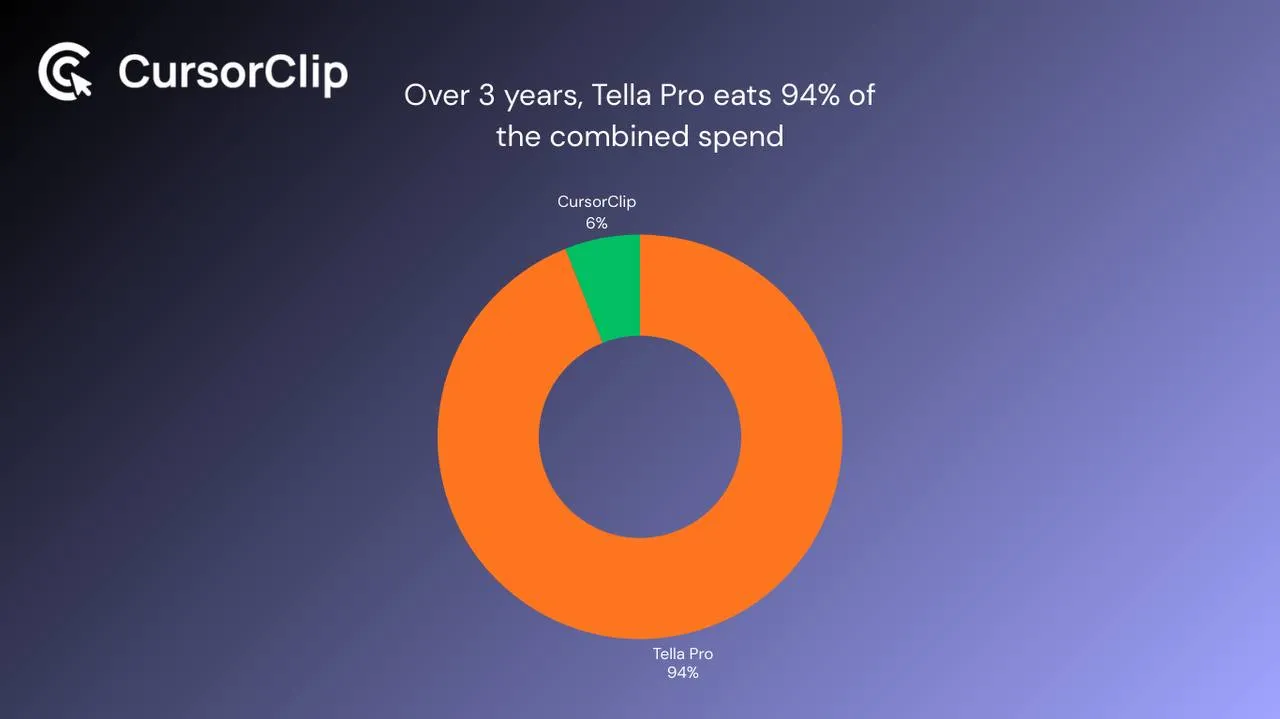
Here’s what Tella costs over time per person versus a CursorClip lifetime license:
| Year 1 | Year 2 | Year 3 | Total | |
|---|---|---|---|---|
| Tella Pro | $312 | $312 | $312 | $936 |
| Tella Premium | $468 | $468 | $468 | $1,404 |
| CursorClip | $70 | $0 | $0 | $70 |
By month three of Tella Pro, you’ve already spent more than a CursorClip lifetime license.
One specific limit worth flagging: Tella Pro caps 60fps exports at 5 minutes. If you need 60fps for longer recordings, you’re on Premium at $39/month. CursorClip records and exports at 4K 60fps with no time limit.
Mac, Windows, and Browser: Where Each Tool Works
Tella on Mac and Windows
Tella has native apps for macOS and Windows, plus a browser-based version that works on any platform. If you’re on a mixed team, some Mac, some Windows, Tella works for everyone from day one. The browser version also means you can record from any machine without installing anything.
The tradeoff: Tella’s cloud infrastructure is involved throughout the workflow. No internet means no syncing and no sharing. Even the native macOS app relies on Tella’s servers to make recordings accessible.
CursorClip on Mac
CursorClip is macOS only, macOS 13.5 minimum, fully optimized for Apple Silicon. It’s about 46 MB installed, launches instantly, and processes everything locally. No internet required at any point.
The limitation is obvious: Windows users aren’t covered. It’s a Mac-only tool and makes no apologies for it.
Tella’s Clip-Based Workflow vs CursorClip’s Single-Take Model
This is the most fundamental difference between the two tools.
Tella is built for multi-take assembly. You record in short clips, rearrange them, cut between takes, and assemble a polished video inside Tella’s editor. AI features trim silences, remove filler words, and let you edit by deleting text from a transcript rather than scrubbing a timeline. When you’re done, you get an instant shareable link, no upload, no export decision.
CursorClip is a single-take recorder. The entire value is that the recording itself comes out polished. Cursor-follow auto-zoom tracks every click, menu, and interaction during recording, so the output already looks edited when you stop. There is no multi-clip assembly and no zoom keyframing. The timeline is there for cuts, trims and speed changes if you need them. You record once and export.
These two workflows don’t compete in the same situation. If you need to assemble a polished video from multiple takes, Tella is built for that. If your recording should be done in one take and ship as-is, adding a clip editor to the workflow just creates work you shouldn’t have to do.
Sharing Model: Instant Links vs Local Files
This is worth its own section because it affects your workflow more than most spec comparisons do.
Tella: Finish recording, get a link. That link goes anywhere: Slack, email, Notion, wherever. Tella hosts the video on its servers. Viewers click the link and watch. No export step, no hosting decision, no file management. For teams that share video constantly, this is genuinely frictionless.
The dependency: your video library lives on Tella’s servers. Cancel the subscription and hosted content becomes inaccessible. You can download MP4s at any time, but that removes the instant-link benefit.
CursorClip: Finish recording, get a local file. MP4 or GIF, saved to wherever you point it on your drive. You decide what happens to it: upload it to your CDN, drop it in Notion, attach it to an email, embed it with a <video> tag on your landing page, post the GIF to Twitter. Complete control, no dependency on any external service.
The dependency: you’re responsible for where the file goes. There’s no built-in hosting.
Tella’s instant link wins for async team communication. CursorClip’s local file wins for anything you’re publishing, embedding, or distributing through channels you control.
Export Behavior: GIF, 60fps, and 4K
| Export type | Tella | CursorClip |
|---|---|---|
| MP4 | Yes | Yes |
| GIF | No | Yes, optimized |
| 4K | Yes | Yes |
| 60fps | Up to 5 min (Pro) / more (Premium) | Unlimited |
Tella does not export GIF at all. For changelogs, GitHub READMEs, tweets, or Notion docs where GIF autoplays without a click, CursorClip is the only option between the two.
The 60fps cap on Tella Pro is a real limit if you record demos longer than five minutes. Longer 60fps recordings require Premium at $39/month.
Where Tella Wins
Tella is genuinely better in a few specific areas:
- Multi-clip editor, Record in sections, rearrange takes, cut filler words with AI, trim silences automatically. If your workflow is multi-take assembly, Tella does this and CursorClip doesn’t at all.
- Instant shareable links, For teams that communicate through hosted video links, that embedded hosting is part of the value.
- Cross-platform support, Tella works on Mac and Windows. CursorClip is Mac-only.
Who Each Tool Is Actually For
Stay on Tella if…
- Multi-take clip assembly is part of how you work
- You want AI to automatically cut silences and filler words
- Instant shareable links are important to your day-to-day workflow
- You have Windows users on your team who need the same tool
- You’re creating course content or recorded presentations
Switch to CursorClip if…
- You signed up for Tella mainly to record software and rarely use the clip editor or AI trimming
- The subscription model bothers you, you’d rather own the tool outright for $70 than pay $26-$39 every month indefinitely
- Your recordings are single-take by nature: a product demo, a UI walkthrough, a feature announcement, not something you assemble from multiple takes
- Tella’s 60fps cap at 5 minutes has hit you, or you need GIF exports that Tella can’t produce
- You want recordings saved locally and not tied to Tella’s servers or your subscription staying active
Use Case Breakdown
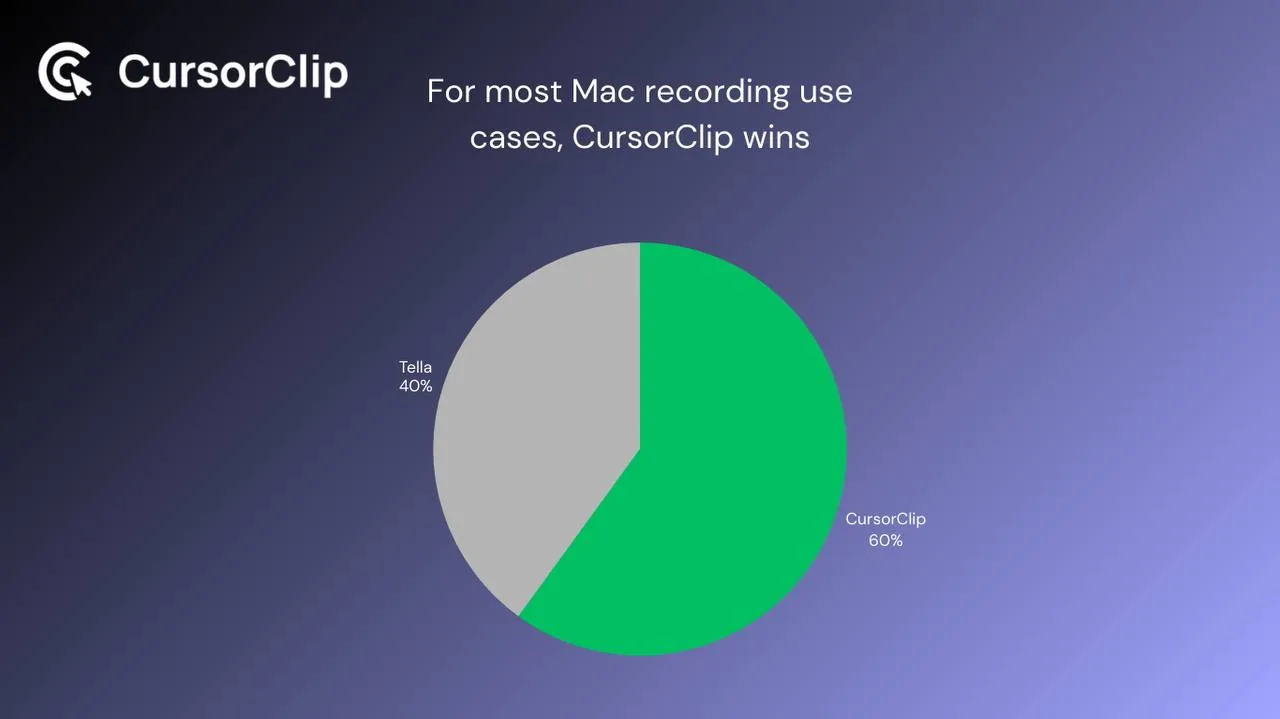
| Use case | Better pick | Why |
|---|---|---|
| Product demo for website | CursorClip | Auto-zoom keeps small UI elements legible |
| Feature announcement GIF | CursorClip | Native GIF export; Tella doesn’t export GIF |
| Tutorial with many UI clicks | CursorClip | Cursor-follow zoom handles every interaction |
| Multi-take presentation or course | Tella | Multi-clip editor built for exactly this |
| Async team update | Tella | Instant shareable link, no export step |
| Onboarding walkthrough | CursorClip | One clean take, auto-zoomed throughout |
| Windows + Mac mixed team | Tella | CursorClip is Mac-only |
| Recording offline | CursorClip | Tella needs internet to sync and share |
| GIF for changelog, Slack, or tweet | CursorClip | Tella doesn’t export GIF |
| 60fps recording over 5 minutes | CursorClip | Tella Pro caps 60fps at 5 minutes |
| Long-form course content | Tella | Multi-clip assembly and AI editing |
Frequently Asked Questions
What is Tella’s free trial?
Tella offers a 7-day free trial with no credit card required. After 7 days, you choose Pro ($26/month) or Premium ($39/month), or you’re done. There’s no permanent free plan.
Does Tella have a one-time payment option?
No. Tella is subscription-only, Pro at $26/month or Premium at $39/month. There’s no lifetime license. Cancel and access ends; cloud-hosted videos become inaccessible unless you’ve downloaded them first. CursorClip is $70 once with no recurring charge.
Does Tella work on Mac?
Yes. Tella has a native macOS app alongside its browser-based version, and a native Windows app too. CursorClip is Mac-only, native macOS, requires macOS 13.5 (Ventura) or later.
Does Tella’s 60fps limit affect most recordings?
It depends on length. Tella Pro caps 60fps exports at 5 minutes. Short demos won’t hit this. Longer walkthroughs or course recordings will. If 60fps matters and your recordings run long, you’re looking at Tella Premium ($39/month) or CursorClip’s unlimited 4K 60fps at a one-time $70.
Does Tella export GIFs?
No. Tella exports MP4 and hosts via shareable links. It doesn’t export GIF. CursorClip exports optimized GIFs natively, useful for changelogs, tweets, GitHub README files, Notion docs, and Slack where GIF autoplays without a click.
What happens to my Tella videos if I cancel?
Access ends at the end of the billing period. Videos hosted on Tella’s servers become inaccessible once the subscription lapses. Download any recordings you want to keep as MP4 files before cancelling. CursorClip recordings are local files on your Mac, uninstalling the app doesn’t affect them.
Can CursorClip replace Tella for everything?
Not everything. CursorClip doesn’t have a multi-clip editor, doesn’t remove filler words, doesn’t host videos with shareable links, and doesn’t work on Windows. If those are central to your workflow, CursorClip can’t replace Tella for them. For Mac users whose main need is polished screen recordings of software, demos, walkthroughs, GIFs, feature announcements, CursorClip handles that better and costs significantly less over time.
What’s the best Tella alternative for Mac?
If your main use case is screen recording software demos, walkthroughs, and UI interactions where cursor-follow zoom matters, CursorClip is the best Tella alternative for Mac. Native macOS, $70 once, works offline, exports GIF and MP4, and auto-zoom means recordings look professionally edited without any editing. If you need multi-clip assembly and instant sharing links, Tella is still the better fit.
Tella and CursorClip are built around different workflows, and the right pick depends entirely on what you’re making.
Tella wins when your work involves recording across multiple takes, assembling clips, cutting filler words with AI, and sharing through hosted links, especially on mixed Mac and Windows teams.
CursorClip wins when you’re on a Mac and your output is software demos, product walkthroughs, UI tutorials, or feature announcement GIFs, anything where a viewer needs to clearly follow what you’re clicking on. The cursor-follow auto-zoom, one-take workflow, local files, GIF export, offline capability, and $70 lifetime price all point at the same person: a Mac user who records their product regularly and wants those recordings to look polished without spending time making them polished.
Links, you may find useful:

