Getting started · Reference
CursorClip system requirements
Will it run on your Mac? If the Mac runs macOS 13.5 (Ventura) or later, yes. CursorClip is one universal app for Apple silicon and Intel, and it has no chip, memory or model minimum of its own.
What you need
- macOS
-
13.5 (Ventura) or later
On macOS 13.0 to 13.4, CursorClip will not open until you update macOS.
- Chip
-
Apple silicon or Intel
One universal download carries both, so there is no separate Intel version to find.
- Memory and graphics
-
No separate minimum
CursorClip sets no RAM, graphics or model limit of its own. Your macOS version is what decides.
Which Macs that covers
That means every Apple silicon Mac, plus the Intel Macs that can run macOS Ventura. Any Mac that can run Ventura can update to 13.5.
Apple silicon
Every Mac with an Apple chip, from M1 on. That includes MacBook Air, MacBook Pro, iMac, Mac mini, Mac Studio and Mac Pro.
Intel
- MacBook Pro, 2017 or later
- MacBook Air, 2018 or later
- MacBook (12-inch), 2017
- iMac, 2017 or later
- iMac Pro, 2017
- Mac mini, 2018
- Mac Pro, 2019
Intel models from Apple's macOS Ventura compatibility list, checked 3 October 2026. Some of these Macs stop at Ventura or Sonoma, and CursorClip still runs on them.
Permissions CursorClip asks for
Each one appears in System Settings, under Privacy & Security, where you can turn it on or off later. Two are required before you can record. The others are optional and only matter for the feature that uses them.
- Screen Recording Required
Lets CursorClip capture your screen. On macOS 15 and later, the list in Privacy & Security is called Screen & System Audio Recording.
- Accessibility Required
Lets CursorClip follow your pointer and clicks, and see when the cursor changes shape. Automatic zooms are built from those clicks.
- Microphone Optional
Needed only if you record your voice.
- Camera Optional
Needed only if you record your camera, which camera layouts use.
- Input Monitoring Optional
Used only by the keyboard overlay, which shows the keys you press. It stays off unless you turn it on.
For screenshots of the Screen Recording, Accessibility, Microphone and Camera prompts, see Installing CursorClip.
Recommended
Keep CursorClip in Applications
From the Applications folder, CursorClip can install its own updates and keep the permissions you gave it. If you open it straight from the disk image, it offers to move itself there and reopen.
Check your Mac
- 1
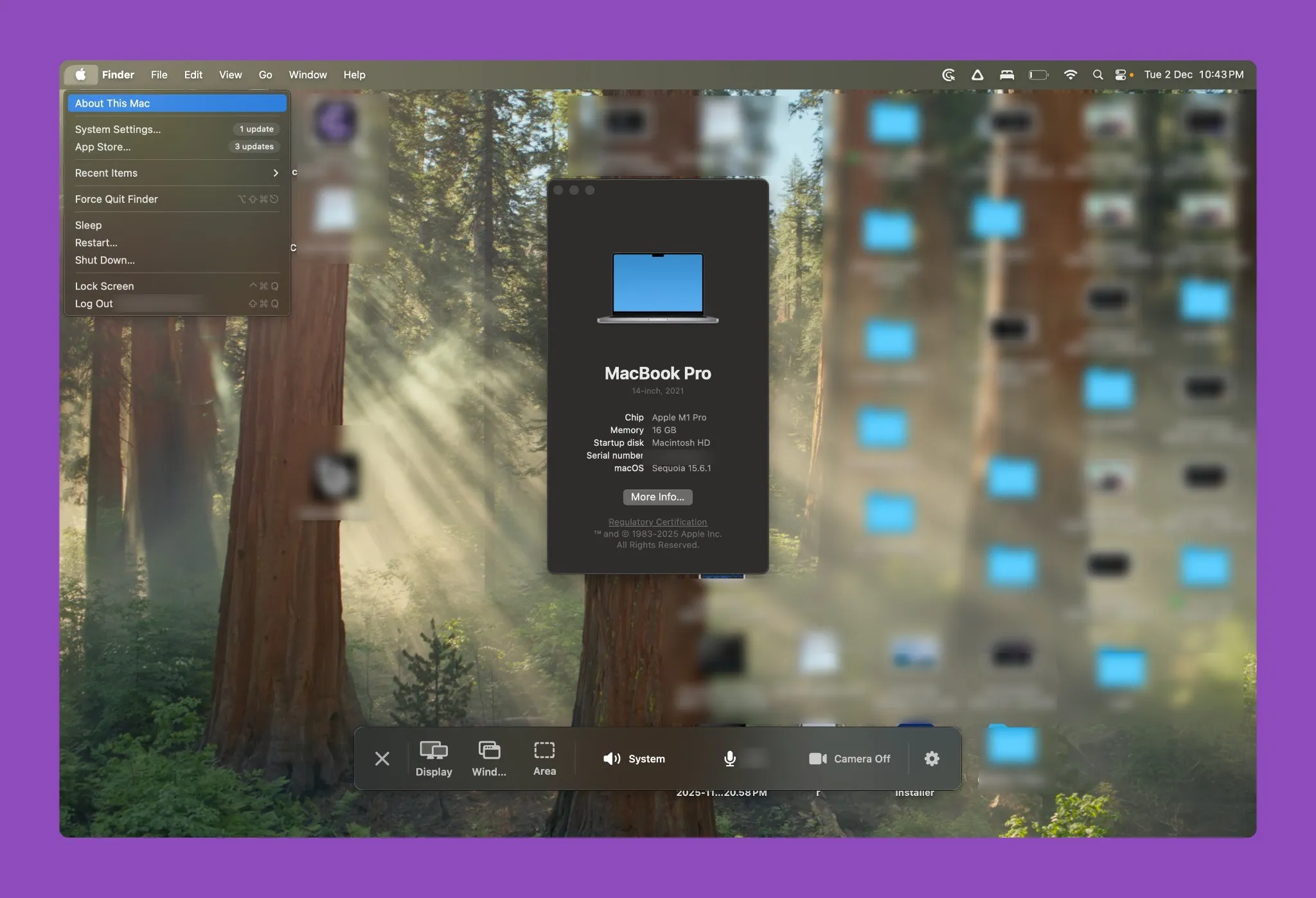
Click the Apple menu at the top left of your screen and choose About This Mac.
- 2
Find the macOS version. It needs to be 13.5 or higher.
- 3
Chip means Apple silicon and Processor means Intel. CursorClip runs on either.
On macOS 13.0 to 13.4, open System Settings, then General, then Software Update, and install the latest Ventura update first. Then download CursorClip.