Snagit costs $39 per user per year, billed yearly, as of 10 August 2026. It is a subscription, not a one-time purchase: TechSmith retired the perpetual license, so if you stop paying you lose access to the software. One seat costs $39 for one year, $78 over two and $117 over three, before tax and before any price increase. Snagit earns that money when scrolling capture, annotation and visual step guides are central to your work. If you mainly need polished screen videos, you are shopping in a different category.
Prices checked on 10 August 2026. Every figure below is what a vendor page stated on that date, not a test result.
| Question | Answer as of 10 August 2026 | Source |
|---|---|---|
| Price, Snagit Individual | $39.00 per user per year, billed yearly | TechSmith store |
| License model | Annual subscription only. No perpetual license for new purchases | TechSmith support |
| Transferable | No on Individual, yes on Business | TechSmith store |
| Trial | 15 days, fully functional | Snagit product page |
| Refund window | 14-day money-back guarantee | TechSmith store |
| Volume discounts | Start at 10 subscriptions | TechSmith support |
| macOS requirement | macOS 26, 15 or 14 | Snagit product page |
Read the currency before you read the price
TechSmith geo-localizes its store, so the price you see depends on where you are. Fetched from India on 10 August 2026 the same page rendered ₹1,499.00 for Snagit Individual, with no currency selector anywhere on it. That is a genuine vendor price, roughly half the US figure, and it means two people can read this article and both be quoted correctly at different numbers.
Two practical consequences. If you are outside the US, check your own store page rather than converting: an exchange-rate calculation on the US figure will be wrong in a way that looks precise. And if you are buying for a distributed team, the seat price may differ by where the purchaser sits, which is worth knowing before you standardize.
What Snagit’s plans cost, as displayed on 10 August 2026
TechSmith sells Snagit in three commercial tiers plus two education tiers, all billed per user per year.
| Plan | US price | Cadence | Transferable | Notes |
|---|---|---|---|---|
| Snagit Individual | $39.00 per user | Per year, billed yearly | No | Assigned to one user account. Store page states the subscription is just for you |
| Snagit Business / Teams | $48.00 per user | Per year, billed yearly | Yes | Licenses can be reassigned between people |
| Snagit Enterprise | Custom | Contact sales | Not affirmed. TechSmith marks Business “Transferable” and leaves the same row N/A for Enterprise | Volume and site licensing route |
| Education, students | $20.00 | Per year | No | Requires academic verification |
| Education, educators | $39.36 per user | Per year | Yes | 18% off the Business price, for accredited institutions |
| Volume, 10+ seats | $45.60 per user | Per year | Yes | 5% off Business. 10 seats is where TechSmith states volume pricing begins |
Business is $9 a year more than Individual, and the only functional difference the store names is transferability: a Business license can be reassigned when someone leaves, an Individual one cannot. For any team above one person that $9 is usually worth paying, because the alternative is buying a seat you cannot recover.
Transferability means something specific and limited. TechSmith describes it as covering the rest of the paid year: “If an end user leaves your company/department/project part way through a year-long subscription, another end user can finish out the remaining days in their place” (TechSmith support, checked 10 August 2026). Note also what TechSmith does not say. Its Individual-versus-Business comparison marks the Business row Transferable, but the equivalent Enterprise row reads N/A rather than yes (TechSmith support, checked 10 August 2026), so an Enterprise seat should not be assumed transferable without asking sales.
The educator price is the clearest internal check on this table: $39.36 is exactly 18% off $48, and TechSmith’s education store independently displays an 18% educator discount. TechSmith’s broader discounts page advertises different education percentages, so treat the store or checkout total as authoritative for the plan you select.
What the Snagit subscription includes
The Individual plan is an account-based subscription with a bundle attached, not a bare application license. The store page states these inclusions as of 10 August 2026:
- Activation by sign-in, described as no keys needed, just sign in. The Education educators tier differs and states that it unlocks with a software key.
- Always up-to-date, meaning latest features during the subscription term.
- Live chat support.
- Up to 25 videos on Screencast with timestamped comments.
- The Starter Assets library of royalty-free content.
- Camtasia Online access, browser-based, at 1080p.
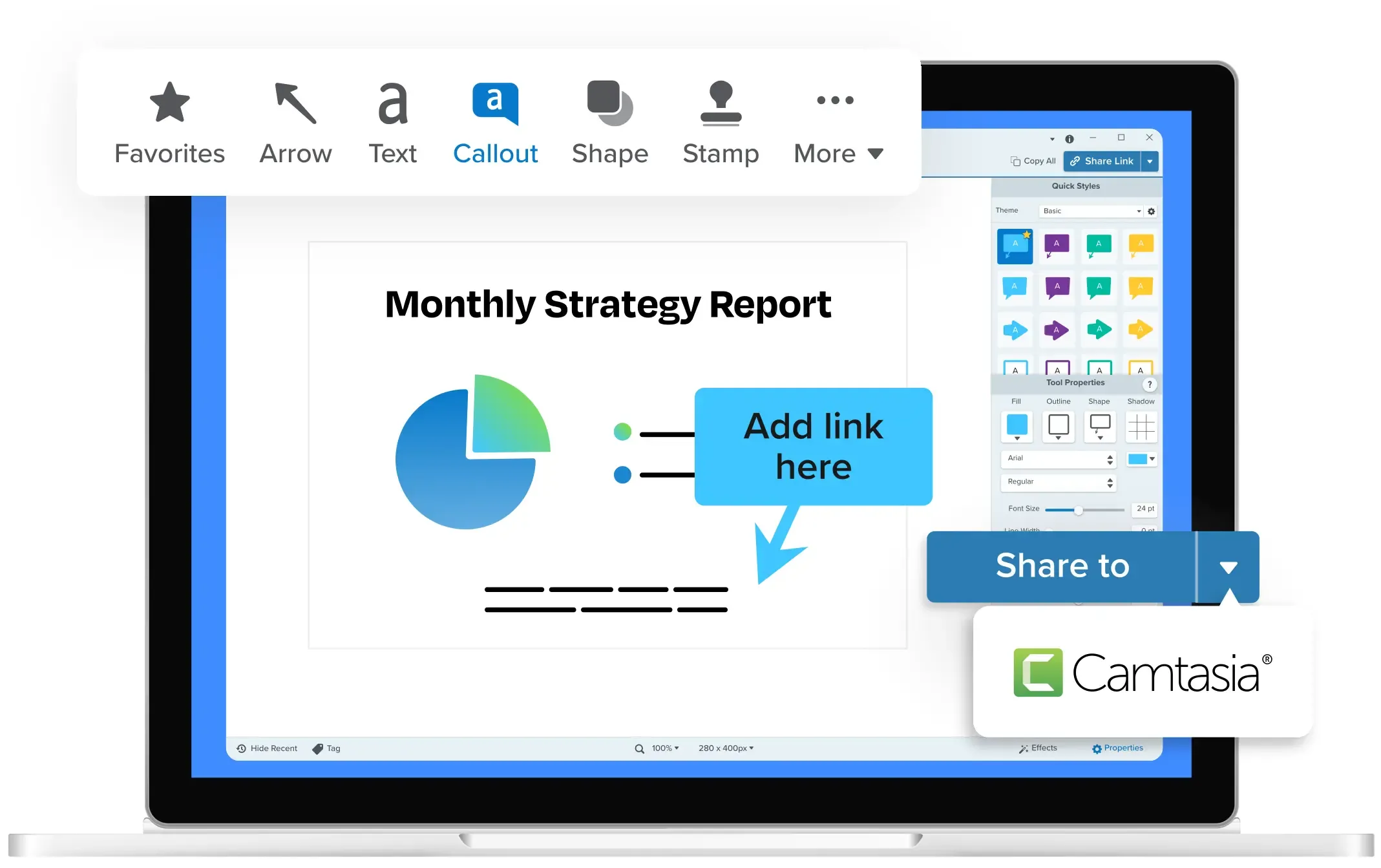
The capture and markup capabilities themselves are why people buy Snagit, and they are the part this article does not try to substitute. TechSmith’s current Snagit feature inventory lists scrolling capture, step recording, text recognition, Smart Redact, annotation, screen recording and export formats; plan availability can vary, so check the label beside the feature you need.
Trial, free version, and refund window
Snagit has a timed trial and a separate refund window, and they are two different numbers on two different pages.
- Trial: the product page advertises a fully-functional free trial, free for 15 days. There is no permanent free tier.
- Refund: the store page states a 14-day money-back guarantee on purchase.
Fifteen and fourteen get conflated constantly. One is how long you can use the software before paying; the other is how long after paying you can ask for the money back.
Does Snagit still sell a perpetual license?
Not for new purchases, on current evidence. TechSmith’s support article on its transition to annual subscription pricing states that Snagit 2025 and Camtasia 2025 will only be offered as a subscription, and that customers will not be able to purchase a perpetual upgrade license.
What survives is a legacy entitlement, not a current offer. Prior perpetual buyers keep access to any versions they purchased under a perpetual license, with support stated to end 31 December 2026 for non-maintenance customers and 2 October 2027 for maintenance customers. Customers with active maintenance are described as receiving a legacy license key for subscription access, with renewal cost held significantly lower than the full subscription price through 2030.
If you hold an old Snagit key, that describes your entitlement, not the store. The store page displays an annual subscription.
One, two, and three-year cost for one Snagit seat
Assumptions, stated so you can check them: one seat, list price as displayed, no tax, no discount, no future price increase, no currency conversion.
| Period | Snagit Individual ($39/user/year) | Snagit Business ($48/user/year) |
|---|---|---|
| Year 1 | $39.00 | $48.00 |
| 2 years total | $78.00 | $96.00 |
| 3 years total | $117.00 | $144.00 |
| Per month, averaged over 3 years | $3.25 | $4.00 |
For a team the maths scales linearly until you cross the discount threshold. Ten Business seats list at $480 per year, falling to $456 at the stated 10-seat volume rate of $45.60 per user, a saving of $24 per year. Discounts above that tier are not published, so larger purchases need a quote.
Against a one-time purchase
This is where the model difference shows rather than the price difference. Snagit Individual is $39 every year for as long as you use it. CursorClip is $70 once.
| Period | Snagit Individual | CursorClip lifetime | Difference |
|---|---|---|---|
| Year 1 | $39 | $70 | Snagit is $31 cheaper |
| 2 years | $78 | $70 | CursorClip is $8 cheaper |
| 3 years | $117 | $70 | CursorClip is $47 cheaper, about 40% |
| 5 years | $195 | $70 | CursorClip is $125 cheaper, about 64% |
Read that as a model comparison, not a verdict. These are not substitutes, and the next section explains why: Snagit’s screenshot, scrolling-capture and documentation work has no equivalent in CursorClip at any price. Crossover happens in year two, so the maths only matters if the two tools genuinely do your job interchangeably. For most people buying Snagit, they do not.
Is Snagit worth it?
Snagit is worth its recurring price when the artifact you produce is a picture, not a video.
Buy it when you mark up screenshots for others to read, need scrolling capture of a long page, produce visual step guides routinely, need OCR or redaction before an image leaves the building, or want a capture library rather than loose PNGs on the Desktop.
Think harder when:
- The built-in macOS Screenshot app already covers you. Apple documents Shift-Command-5 for screenshots and screen recordings, with screenshots saved as .png files to the desktop (Apple Support, checked 10 August 2026).
- Your real output is a polished screen video, so Snagit’s screenshot strengths go unused.
- You need deep multi-track timeline editing, which is Camtasia and ScreenFlow territory.
- You are still on macOS 13, below the current Snagit requirements page’s macOS 14 floor.
What to look for when comparing capture tools
- Job shape. Screenshot-first or recording-first. The biggest split in the category, and the one most comparisons blur.
- License model. Subscription, perpetual, or hybrid. A lapsed subscription can end access; a perpetual license with a lapsed update window keeps working but stops improving.
- Transferability. Can the seat move when someone leaves? On Snagit that answer changes with the plan.
- Trial shape, not trial length. Snagit is a 15-day timed trial, ScreenFlow is unlimited but watermarks exports, CleanShot X has no trial and substitutes a 30-day refund.
- OS and CPU floor. The stated minimum decides whether the purchase is possible on the Mac you own.
macOS and CPU requirements across these tools
This is what each vendor states on its own pages, captured 10 August 2026. Where a vendor stated nothing, that is recorded as missing rather than guessed.
| Tool | Stated macOS requirement | Stated Mac CPU requirement | Source |
|---|---|---|---|
| Snagit | macOS Sequoia (15) or Sonoma (14); TechSmith’s version matrix separately lists which older Snagit builds support Tahoe (26) | None published for Mac | Snagit system requirements, TechSmith version matrix |
| Camtasia | macOS 14.0, recommended macOS 26.0 or later | Intel 7th Gen or newer, or Apple silicon M1 Pro / M1 Max or newer | Camtasia product page |
| CleanShot X | macOS 13.0 or newer (checked 3 October 2026) | None published | CleanShot X FAQ |
| Shottr | macOS Catalina (10.15) and up | None published. The vendor describes it as “optimized for Apple silicon”, which is a performance claim, not an Intel exclusion | Shottr FAQ |
| CursorClip | macOS 13.5 or later | Universal binary, Apple Silicon (arm64) and Intel (x86_64) | Static source-code audit, 10 August 2026; macOS floor from the 1.5.7 build’s Info.plist |
Two things are worth reading carefully in that table.
Snagit has the highest OS floor of the screenshot tools here. TechSmith’s current requirements page lists macOS Sonoma 14 and Sequoia 15, while its version matrix explains which Snagit releases run on Tahoe 26. A Mac on Ventura 13 is below the current Snagit floor but still meets CursorClip’s macOS 13.5 requirement. Check the version matrix if you are installing an older Snagit release.
No tool here is Apple Silicon only. That is worth stating plainly, because “optimized for Apple silicon” reads like an Intel exclusion and is not one. Shottr publishes a macOS 10.15 Catalina floor, which predates Apple Silicon entirely. CleanShot X raised its floor to macOS 13.0 Ventura (checked 3 October 2026), which still runs on many Intel Macs. So Intel Macs are inside both stated floors. Neither vendor writes the word “Intel”, so their Intel support is implied by the OS floor rather than stated outright.
TechSmith publishes no Mac CPU requirement for Snagit at all. The “Intel 7th Generation” string that appears in the Snagit page’s structured data belongs to the site-wide Camtasia schema, not to Snagit, and should not be quoted as a Snagit requirement.
That table holds two findings and a lot of absence.
Camtasia states a real CPU floor: Intel 7th Gen or newer, or Apple silicon M1 Pro / M1 Max or newer. A base M1 or M2 Mac does not obviously satisfy that wording, and neither does an older Intel Mac. Snagit’s own product page states no equivalent Mac CPU floor. That matters if you are eyeing the Camtasia bundle on older hardware.
The other finding is about OS floors, not chips. Snagit’s current requirements page starts at macOS 14 and CursorClip starts at macOS 13.5, so a Mac on 13.5 can run CursorClip and is below Snagit’s current requirement. Narrow, but real on older hardware.
Everything else in the CPU column is missing, and missing is what it stays. Apple Silicon ready and Apple Silicon optimized are marketing lines, not statements that Intel is unsupported, and this page does not treat them as such.
Alternatives to Snagit, by job
Snagit’s job is screenshot, annotation, scrolling capture and visual documentation. Nothing below replaces all of it. Each entry uses the same template.
CleanShot X
- Summary: The closest screenshot-first Mac alternative to Snagit, with annotation and a hosted sharing layer.
- Key features: Screenshots and recording with annotation, plus CleanShot Cloud. Vendor states a Cloud account is not required. Pro-gated: custom domain and branding, team management, self-destructing links, password protection, SSO.
- Pros: The app is a genuine one-time purchase, the cleanest perpetual counterexample to TechSmith here.
- Cons: That price includes one year of updates, not lifetime. No trial at all, only a refund window.
- Pricing (checked 3 October 2026): CleanShot Basic is $35 one-time (the app plus 1 GB of Cloud storage and one year of updates), then $19 per year optionally for further updates; seat pricing runs from $35 for 1 Mac to $269 for 10 Macs on the buy page. CleanShot Pro is $10 per user per month billed annually or $12 monthly. 30-day money-back guarantee, 30% educational discount, USD (CleanShot pricing). When the update year lapses the app does not stop: CleanShot X states you can renew “for another year at just $19 per seat or continue using the last version forever, without renewing”, and that the kept version “will still be a completely functional app that still provides all those amazing features” (CleanShot X, checked 3 October 2026).
- Best for: Snagit’s screenshot job without a recurring bill. See our CleanShot X alternatives comparison.

Shottr
- Summary: A small, cheap, screenshot-first Mac tool for what the vendor calls pixel professionals.
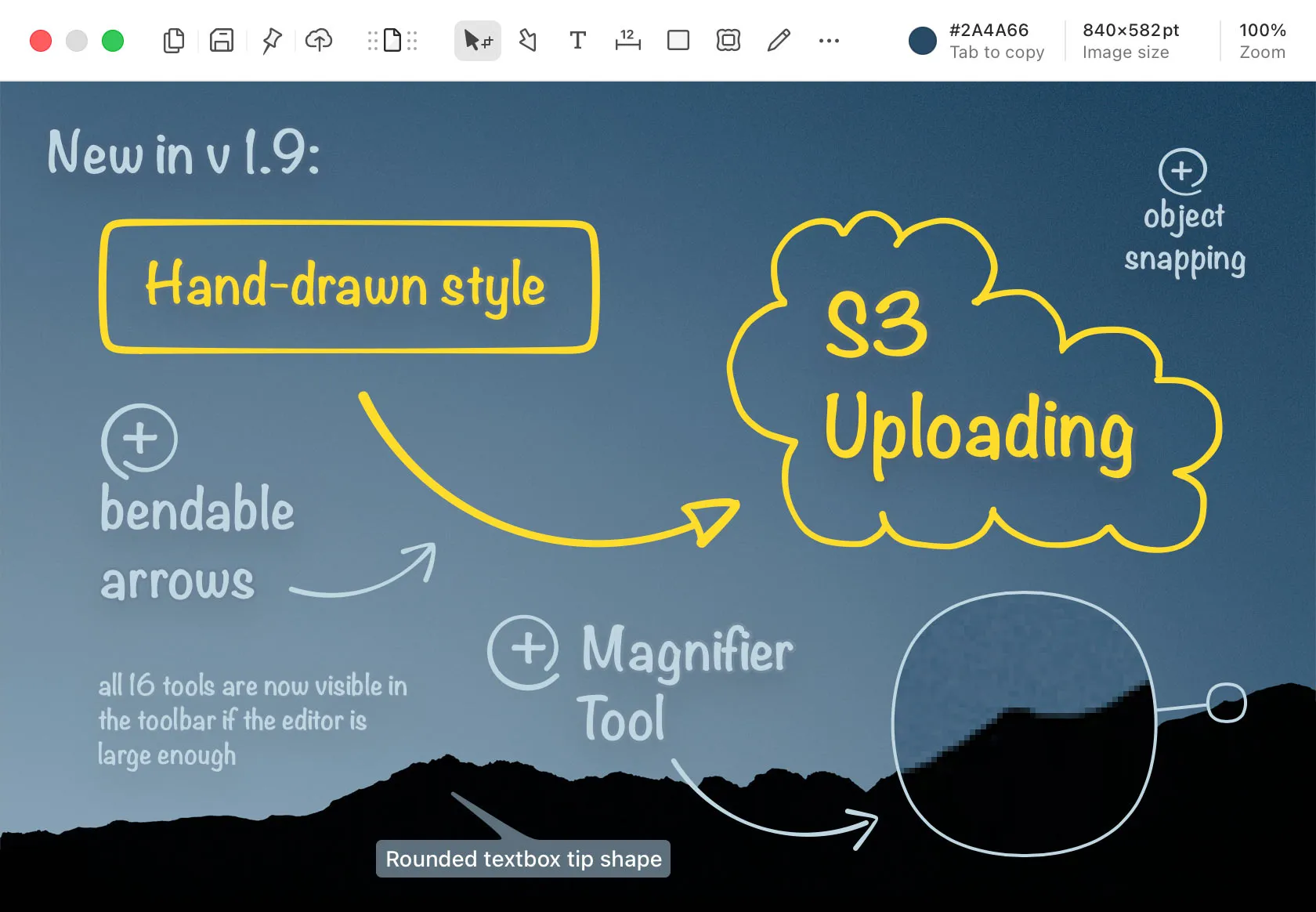
- Key features: Vendor states scrolling screenshots via auto-scroll, OCR, object and text removal, annotation, and a screen ruler measuring pixel distance.
- Pros: Explicitly a single-time purchase, not a subscription. One license covers one user and up to five computers, and it covers scrolling capture and OCR.
- Cons: A screenshot tool, not a recorder. Commercial use requires a license. The refund window is short at 14 days, and update terms are still unstated.
- Pricing (10 August 2026): Free tier that prompts after 30 days rather than expiring, Paid at $12 one-time, Friends Club at $30 one-time (the paid tier adds experimental-feature access and better support). The page shows $ but does not name the currency. Shottr’s terms give a 14-day refund window from purchase, with the refund processed no later than 30 days after the request, and cover direct purchases only, since Mac App Store buyers fall under Apple’s policy (Shottr terms, checked 10 August 2026). The free tier is not feature-limited in any way the vendor enumerates: Shottr states most features are available to free users and that the app “will ask User to consider purchasing a license” after thirty days of use, so the constraint is a prompt, not a lock. It runs on macOS Catalina (10.15) and up.
- Best for: A budget Mac screenshot workflow where scrolling capture and OCR outrank support guarantees.
CursorClip
- Summary: A recording-first Mac app for polished screen videos. It replaces the video part of Snagit’s job and none of the screenshot part.
- Key features: Cursor-aware automatic zoom placed from your clicks, with zoom points you can add, remove or adjust afterwards. System audio and microphone. Webcam picture-in-picture. MP4 (H.264) and GIF export. No account required.
- Pros: Universal binary for Apple Silicon and Intel on macOS 13.5 or later, a lower OS floor than Snagit or Camtasia. A one-time license option exists.
- Cons: No scrolling capture, no OCR, no screenshot annotation, so it replaces none of Snagit’s documentation work. It also edits only its own recordings, so an existing QuickTime file cannot be opened in it. Further limitations are listed on the CursorClip features page.
- Pricing (16 September 2026): $70 one-time, $29 per year, or $9 per month, each with a 14-day money-back guarantee. See CursorClip pricing for recording-first workflows.
- Best for: Mac tutorials, demos and support walkthroughs where the deliverable is a readable video.
If you need recording rather than screenshots
Snagit’s video capture is the part most easily replaced, and there are better recording-first options than any screenshot tool. Screen Studio, Cap, OBS Studio and ScreenFlow all record Mac screen and audio, at prices from free to $199 one-time. Comparing them properly is a different article: see the full Mac screen recorder roundup and, for the Screen Studio comparison specifically, our Screen Studio pricing breakdown.
Third-party ratings, all checked 10 August 2026: Snagit holds 4.7/5 from 500 reviews on Capterra; CleanShot X holds 4.9/5 from 55 reviews on Product Hunt, where it is listed as CleanShot, plus 99% positive from 14,199 ratings on Setapp, which reports a percent-positive score rather than a score out of 5; and Shottr holds 4.9/5 from 17 reviews on Product Hunt. TechSmith’s company-level Trustpilot score of 4.2 from 308 reviews covers all its products and its support, so it is not a Snagit rating and is not used as one.
How to choose
Work down these questions. The first match is your answer.
- Is your deliverable a picture or a video? This decides more than price does.
- Picture, and you need scrolling capture, OCR, redaction and step guides in one product? Snagit, at a recurring cost.
- Picture, but you would rather not pay every year? CleanShot X at $35 one-time (plus one year of updates) or Shottr at $12 one-time. Neither replaces step-guide generation.
- Picture, only occasionally? The built-in macOS Screenshot app at Shift-Command-5 is free and already installed.
- Video, and you want it readable with little editing? CursorClip or Screen Studio. Neither takes screenshots the way Snagit does.
- Video, and you need a real timeline with layered tracks? Camtasia or ScreenFlow.
- Still on macOS 13? Snagit’s stated floor is macOS 14, so check your version before spending anything.
Use-case cheat sheet
| Scenario | Recommendation | Why |
|---|---|---|
| Documenting a long web page end to end | Snagit or Shottr | Both state scrolling capture; CursorClip has none |
| Marking up a screenshot for a bug report | Snagit or CleanShot X | Annotation is the core job, not recording |
| Pulling text out of an old screenshot | Snagit or Shottr | Both state OCR |
| Redacting a screenshot before sharing | Snagit | TechSmith’s current feature inventory lists Smart Redact |
| Building a numbered visual step guide | Snagit | Step capture is Snagit-specific in this set |
| Recording a readable software walkthrough | CursorClip | Cursor-aware auto zoom from clicks, MP4 export |
| Recording a demo with system audio and narration | CursorClip | System audio and microphone, together or separately |
| Making a short looping GIF of a UI interaction | CursorClip | GIF export, recordings under 10 minutes |
| Editing an existing .mov you already recorded | Not CursorClip | It opens only its own projects; use iMovie or a timeline editor |
| Multi-track edit with layered audio and titles | Camtasia or ScreenFlow | Timeline editing is their category, not Snagit’s |
| Team of 10 or more buying together | Snagit Business | 10 seats is where TechSmith states volume discounts begin |
| One-off screenshot on a personal Mac | Built-in macOS Screenshot | Free and already installed |
CursorClip is recording-first; it does not replace Snagit’s screenshot, OCR, annotation, redaction, scrolling-capture or step-guide workflow.
Frequently asked questions: price and billing
How much does Snagit cost per year?
Snagit Individual costs $39.00 per user per year, billed yearly, as of 10 August 2026. Business is $48.00 per user per year and adds transferability. Note that TechSmith geo-localizes its store, so a visitor outside the US may be quoted a different figure: the same page served from India rendered 1,499.00 rupees.
Is Snagit a one-time purchase or a subscription?
A subscription. TechSmith’s support article states that Snagit 2025 and Camtasia 2025 will only be offered as a subscription and that customers will not be able to purchase a perpetual upgrade license. Perpetual survives only as a legacy entitlement for people who already bought one.
Frequently asked questions: license terms
Can a Snagit license be transferred or shared?
Not on the Individual plan. The store page states the subscription is just for you, and that you should choose a business subscription if you need the ability to transfer to another user. Snagit Business licenses are stated to be transferable.
Does Snagit have a free trial, and how long is it?
Yes. TechSmith’s Snagit product page advertises a fully-functional free trial, free for 15 days, as of 10 August 2026. That is a different number from the 14-day money-back guarantee on the store page, and the two should not be conflated.
Frequently asked questions: discounts
Are education or volume discounts available for Snagit?
Both exist. TechSmith’s support article states volume discounts for Camtasia and Snagit start at 10 subscriptions, and the teams store page states a discount is available for 10+ users. The percentage per tier is not published. Education pricing exists for accredited institutions and for verified full-time students.
Frequently asked questions: compatibility and alternatives
Which macOS versions does Snagit support?
TechSmith’s current requirements page lists macOS Sequoia (15) and Sonoma (14). Its separate version matrix lists which Snagit releases run on Tahoe (26). A Mac still on macOS 13 is below the current requirements page’s floor.
What is the best cheaper Snagit alternative on Mac?
It depends on the job. For screenshots, annotation, scrolling capture and OCR, CleanShot X and Shottr are the honest alternatives. For polished screen recordings, CursorClip and Screen Studio are recording-first tools that do not replace Snagit’s screenshot workflow at all.
Does CursorClip replace Snagit?
No. CursorClip is a recording-first Mac app with no scrolling capture, no OCR, no screenshot annotation, no redaction and no step-guide generation, and it edits only its own recordings. It replaces the part of Snagit’s job that produces a screen video, and nothing else.
Sources and capture dates
All vendor figures date from 10 August 2026, from the pages linked inline plus the Snagit teams and education stores and the TechSmith discounts page.
One provenance note, because it matters for how much weight to put on the numbers. TechSmith geo-localizes its store, so the US dollar prices here were read from the US store over a VPN on 10 August 2026, while the same page served from India returned rupees. Two independent checks agree with them: the $39 Individual price matches our own earlier record, and the $39.36 educator price is exactly 18% off the $48 Business price, which is the same 18% educator discount TechSmith’s education store displays. The license model, trial length, refund window, volume threshold and OS requirements were all read directly from TechSmith pages.
Nothing here is a hands-on test result: competitor statements are what each vendor’s page said on that date, and CursorClip statements come from a static source-code audit of the application read on the same date, and are not test results. For the wider Mac picture, see the full Mac screen recorder roundup.
Related reading
- Snagit’s sibling product: CursorClip vs Camtasia and Camtasia alternatives for Mac, since the two TechSmith products share a price floor and a bundle.
- The screenshot-first alternative in depth: CleanShot X alternatives for Mac.
- If what you actually need is recording: every Mac screen recorder compared, and the complete Mac screen recording guide if you are starting from scratch.
Still deciding between a screenshot tool and a recorder?
If most of your work is annotated stills, buy Snagit or CleanShot X and stop reading. If most of it is showing software in motion, record something first and see whether the output is what you needed.